













Building a Bastion Host on OpsAny
This guide explains how to deploy and configure the Bastion Host in the OpsAny operations platform. A bastion host is a security appliance that controls and monitors access to internal network resources. Deploying it in OpsAny improves network security by ensuring only authorized users reach protected resources.
Bastion Host proxy settings
The OpsAny Bastion Host supports proxies, split into Linux proxies and Windows proxies. Linux proxies cover everything except Windows hosts: hosts, MySQL, Redis, and so on.
Linux proxy
The Linux proxy uses an SSH tunnel. Configure the IP address, port, username, and password under 【Bastion Host】 → 【Platform Settings】 → 【Network Proxy】.
Windows proxy
A Windows proxy requires the guacd service on the proxy server.
cd /opt/opsany-paas/install/
./opsany-ce-update.sh guacd 1.5.0
guacd listens on port 4822 by default. Do not forget the firewall rules.
Then add the IP address and port under 【Bastion Host】 → 【Platform Settings】 → 【Network Proxy】 → (Windows).
Scenario
A company has bought new servers and plans to use the Bastion Host to give each role or user connection permissions to server accounts. It also wants to restrict the commands that can be run and the hours during which login is allowed. The company will additionally use the Bastion Host to control access to database logins.
- Prerequisites
The OpsAny Bastion Host is deployed, and the unified permissions (rbac) platform has created the users who need to sign in to the Bastion Host.
-
Step overview
-
Create a server password credential.
- Add server resources.
- Usage scenario: add hosts in the Bastion Host so users can sign in to servers with their accounts, restrict login hours, and block the
rmcommand. - Create a MySQL database password credential.
- Add MySQL database resources.
- Usage scenario: add a MySQL instance in the Bastion Host and authorize it to a user, so the user can sign in to MySQL through the Bastion Host.
Scenario 1: Add hosts in the Bastion Host so users can sign in with their accounts, with login allowed only 09:00–18:00 Monday to Friday, and the rm command blocked.
1. Create a server password credential.
Under Bastion Host → Credential Management → Password Credentials, add the user's server password credential.
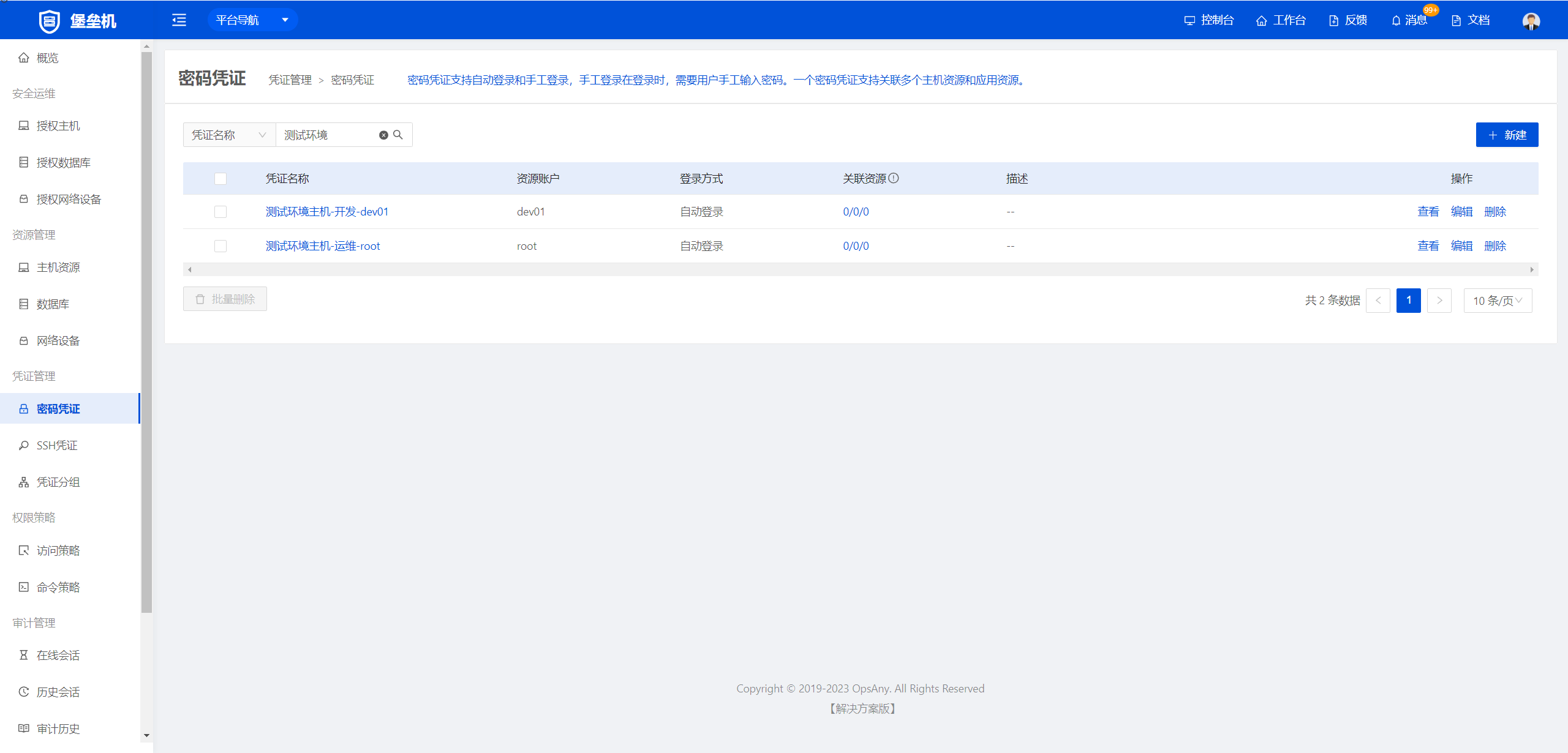
2. Add server resources.
Under Bastion Host → Resource Management → Host Resources, add the server resource.
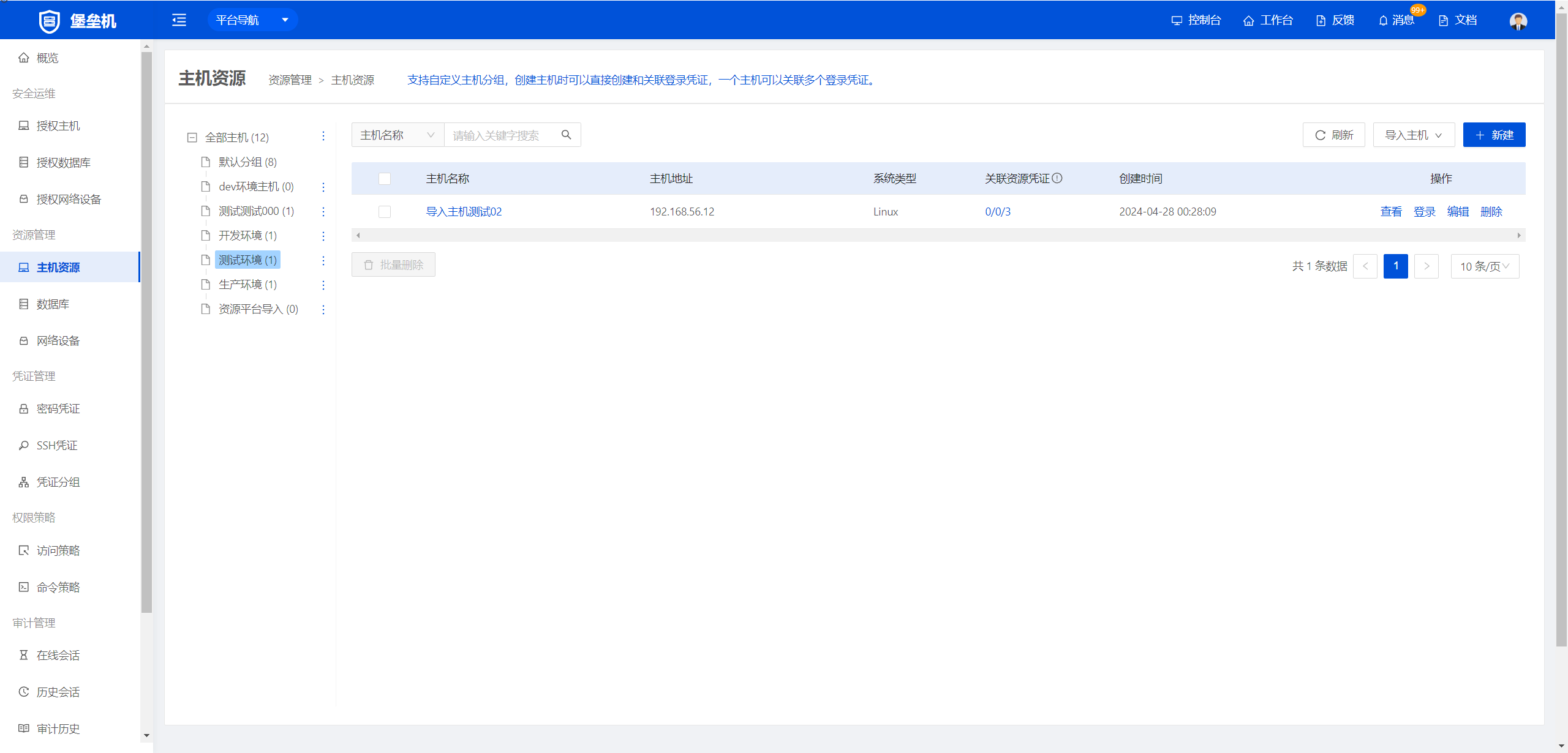
3. Configure the access policy
Under Bastion Host → Permission Policies → Access Policies, add a new access policy.
In the basic information, set the login window to 09:00–18:00 Monday to Friday.
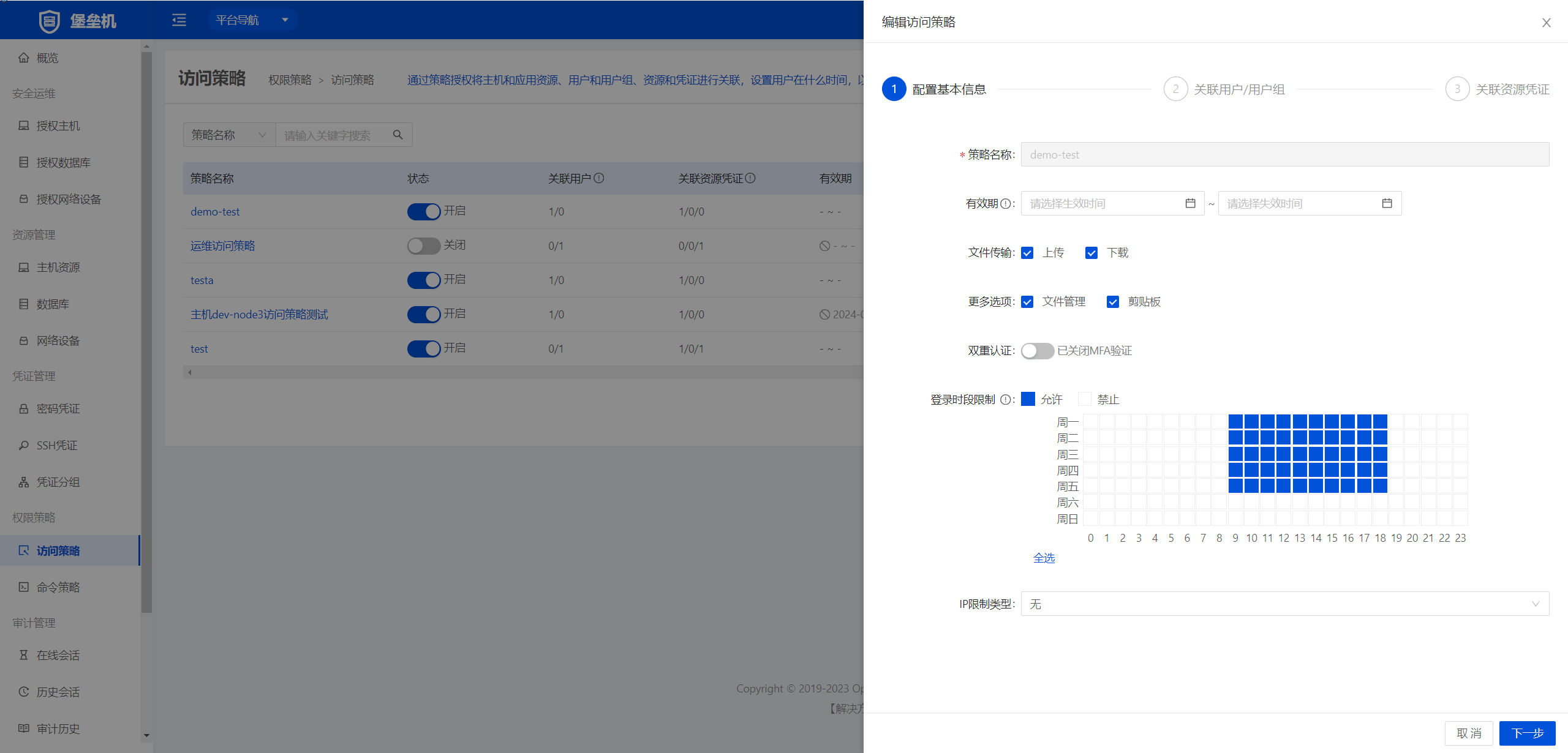
Configure the associated users
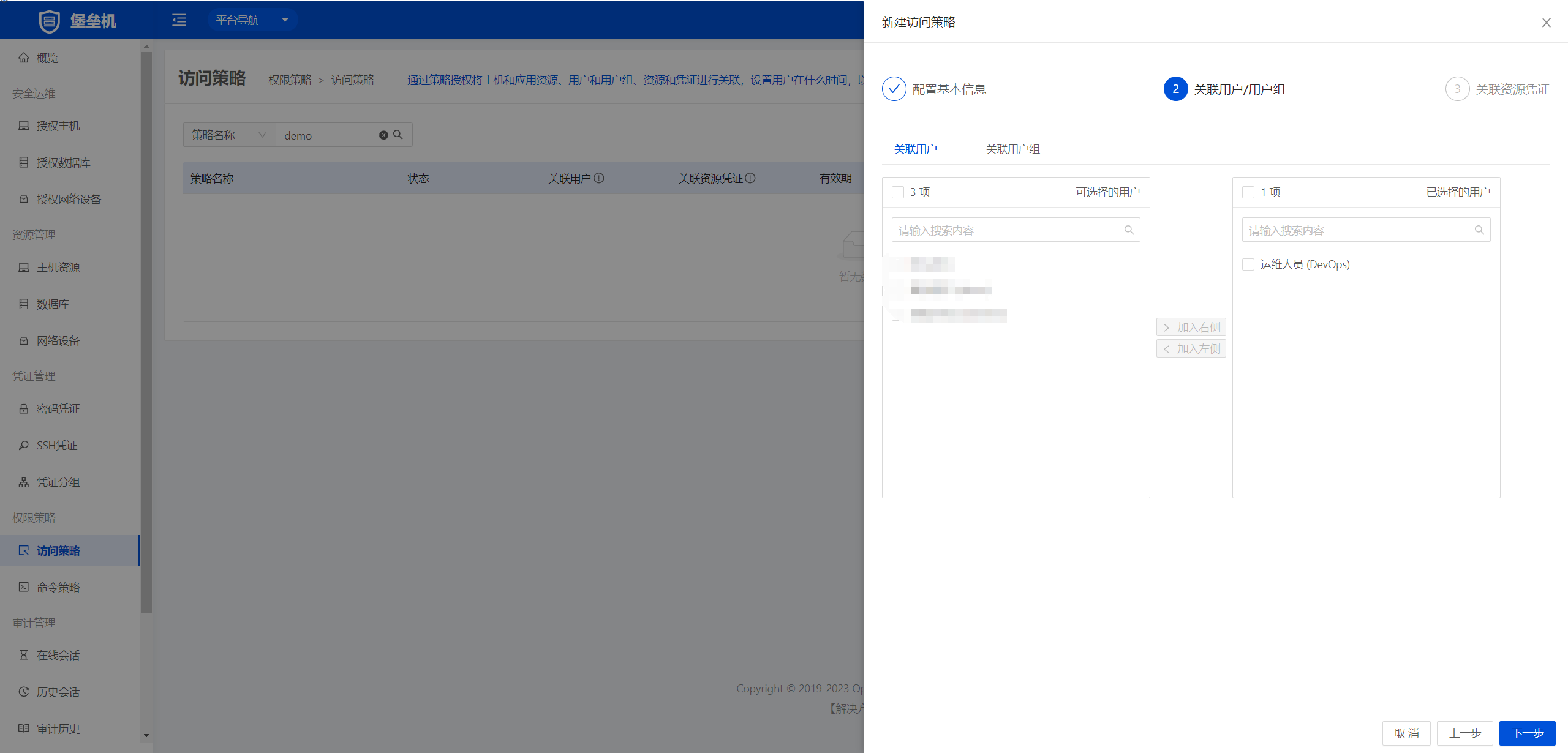
Add the associated credential
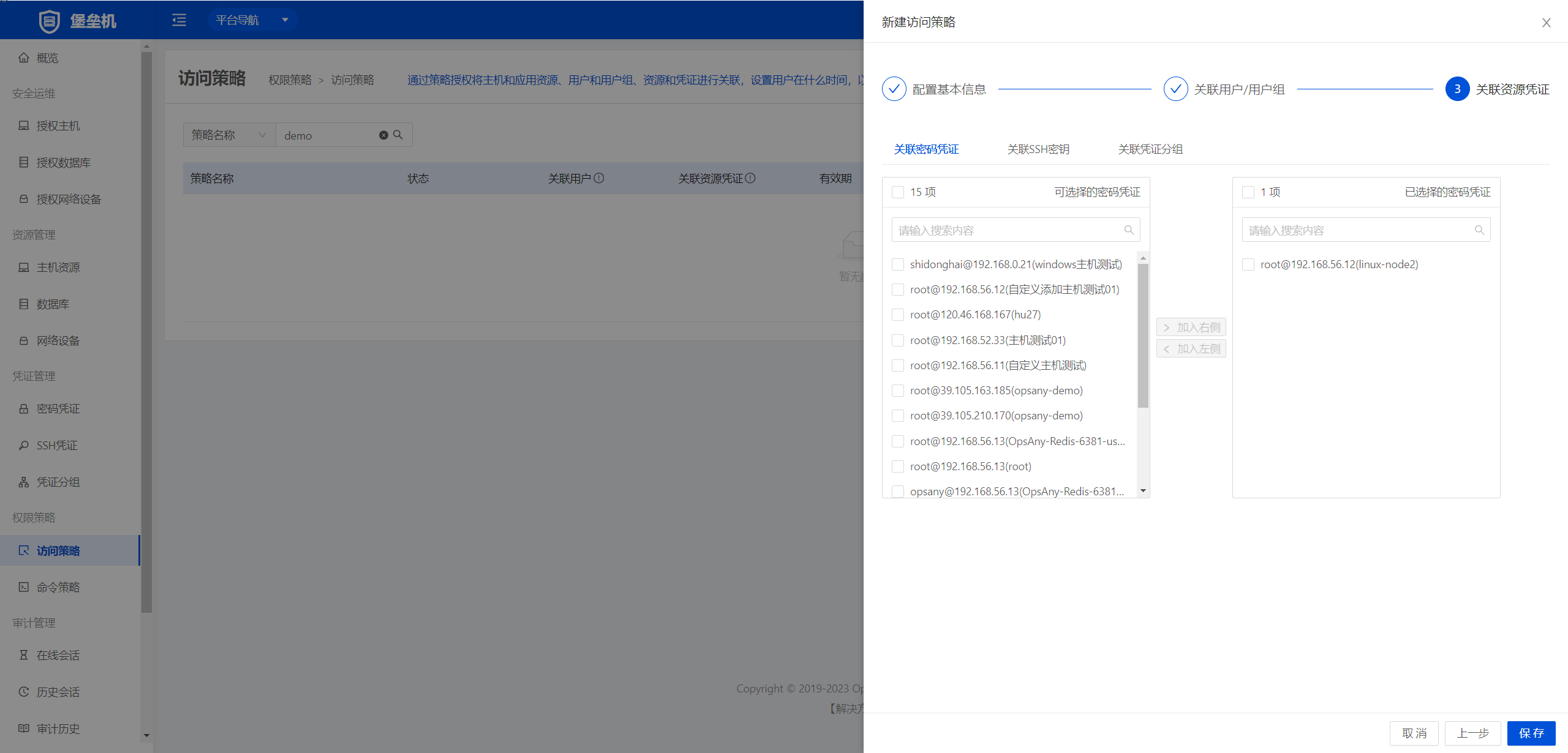
Verify the login policy
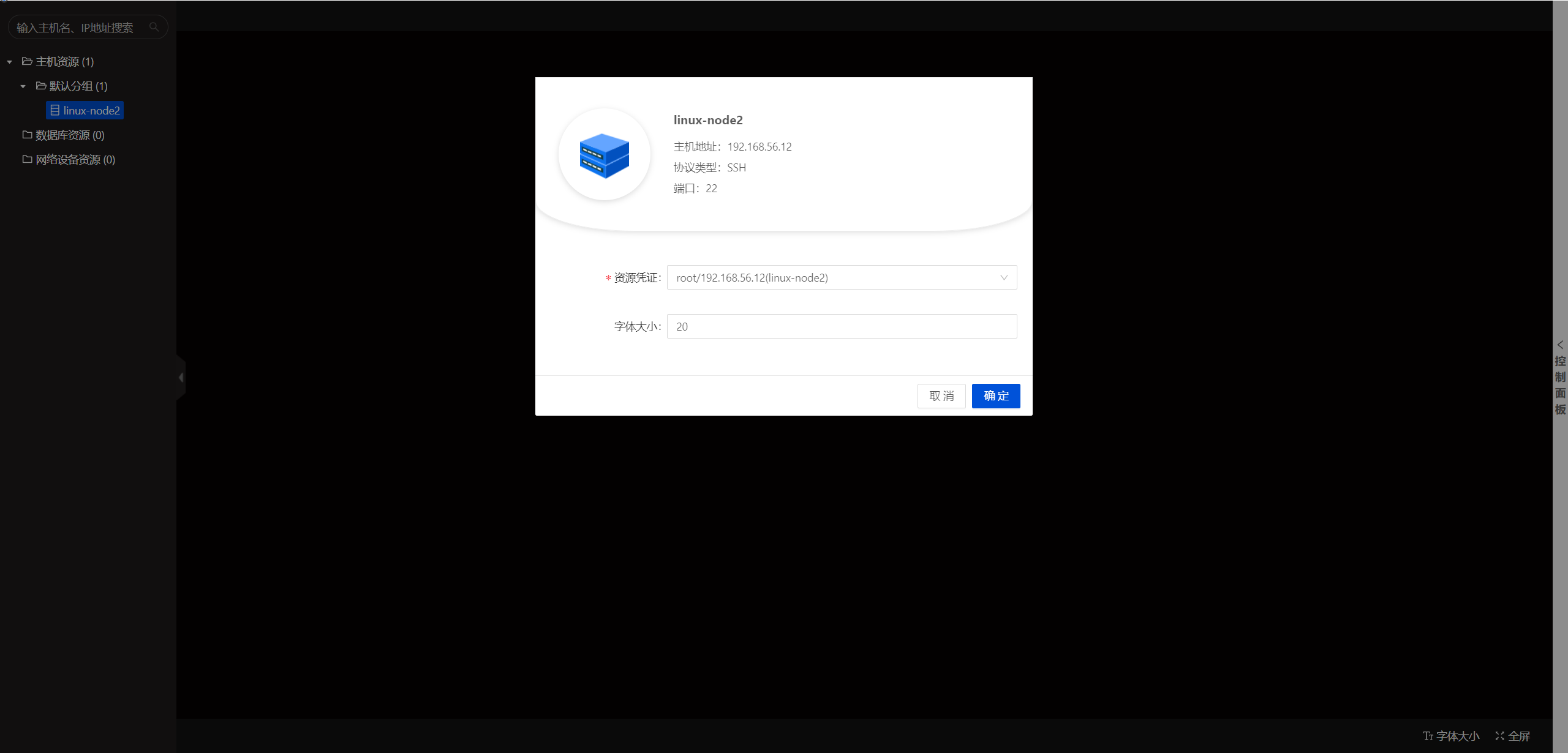
Sign in
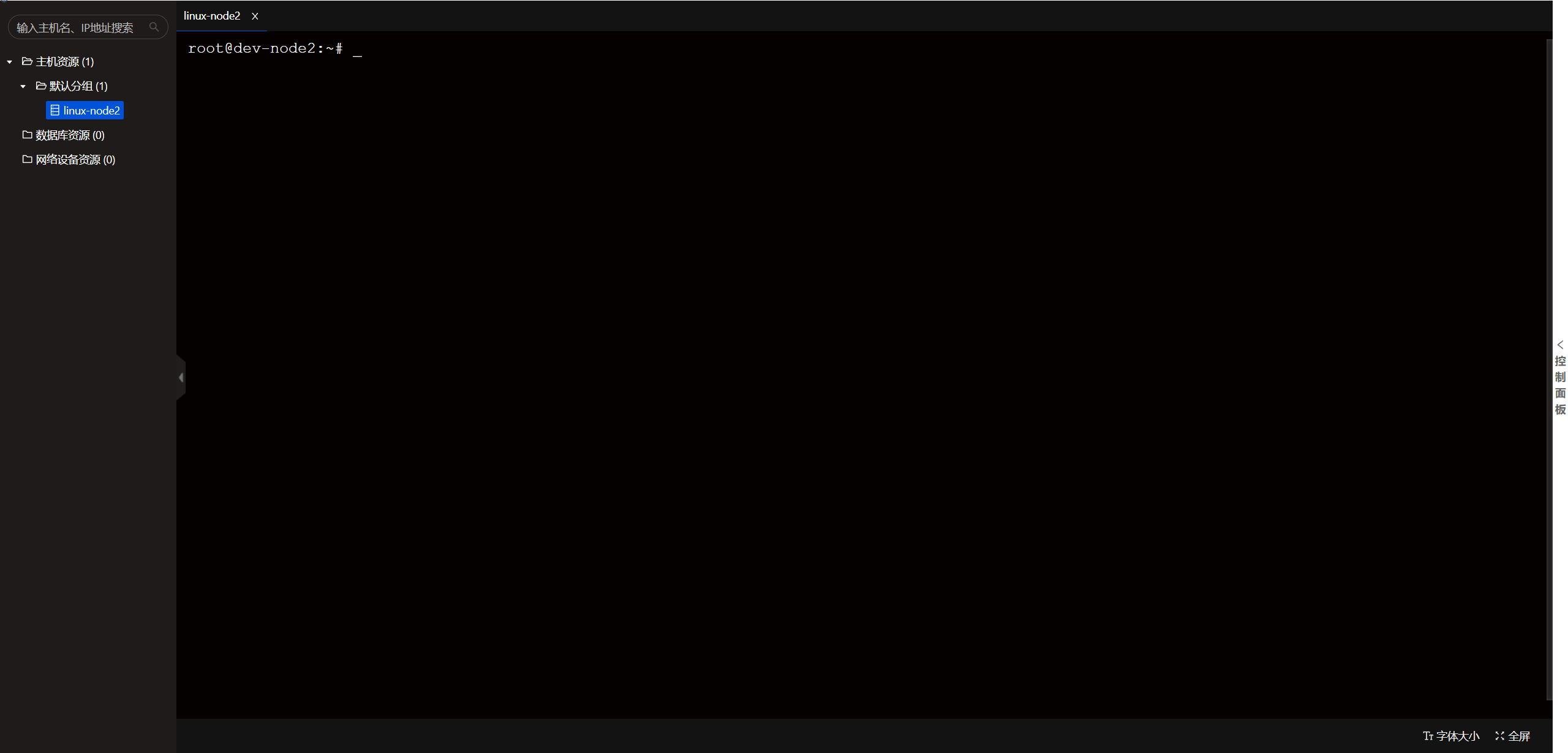
4. Configure the command policy
Under Bastion Host → Command Policies → Command List, add the rm command. (Choose "command block" as the command type.)
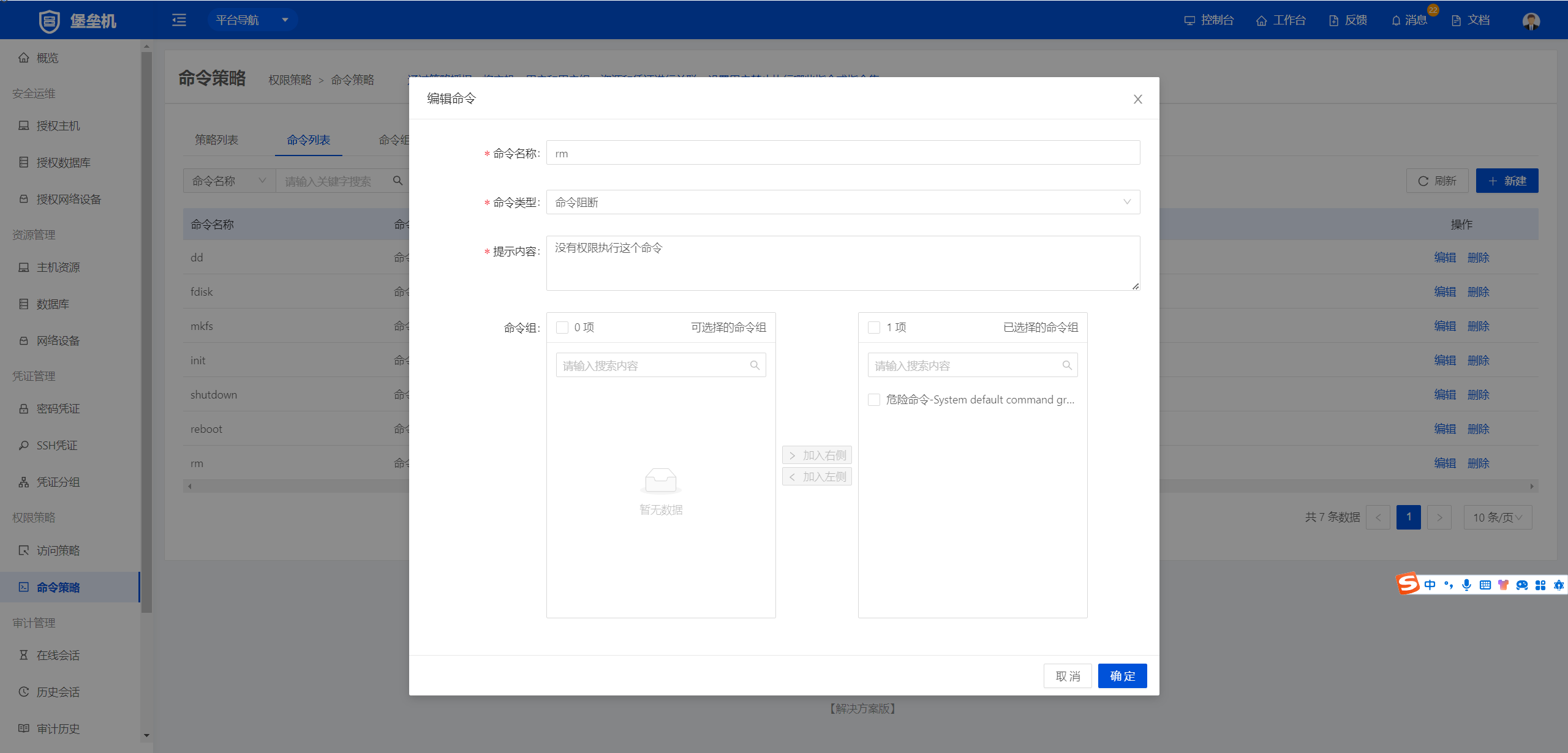
Under Bastion Host → Command Policies → Policy List, create a new policy.
In the basic information, set the login window to 09:00–18:00 Monday to Friday.
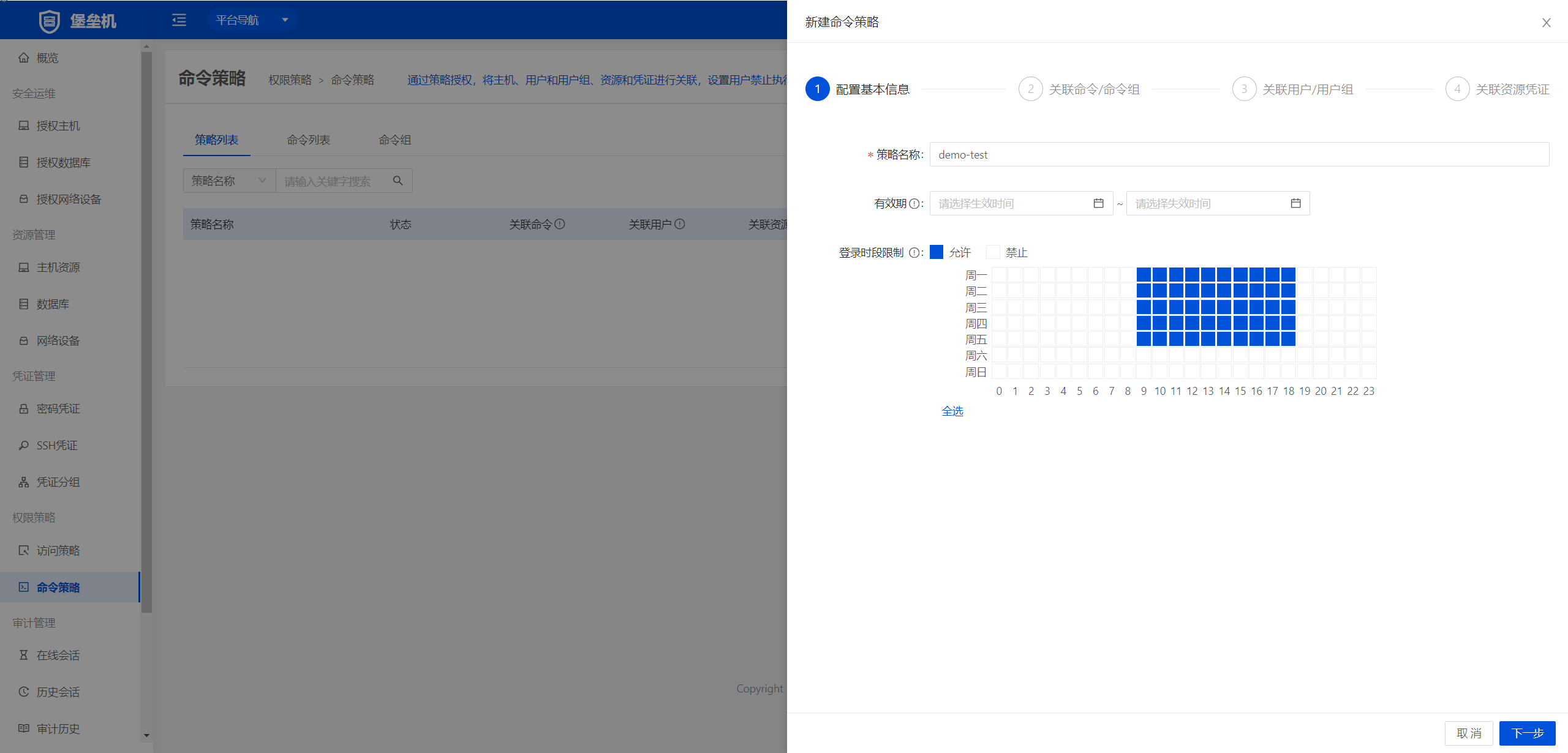
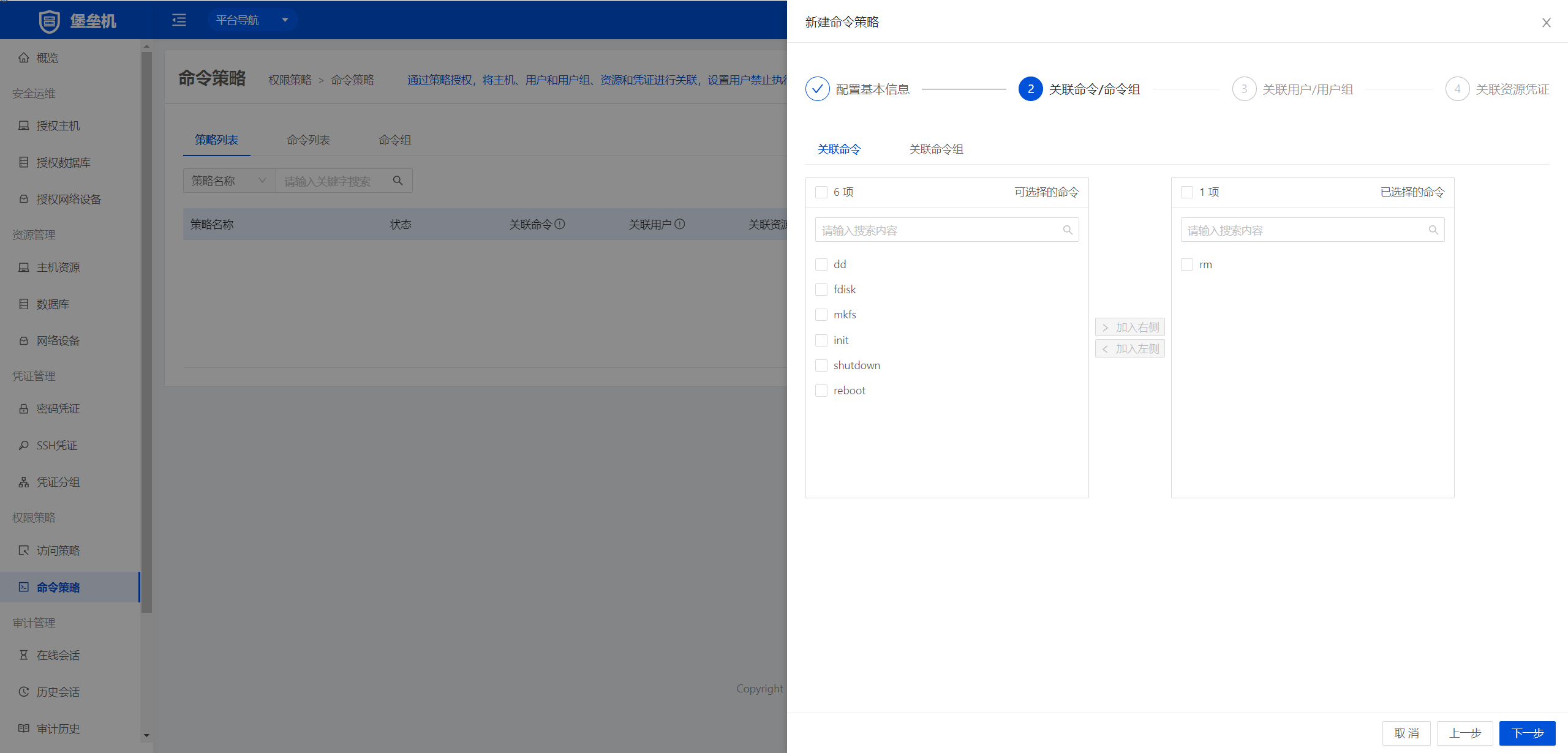
Configure the associated commands and add rm.
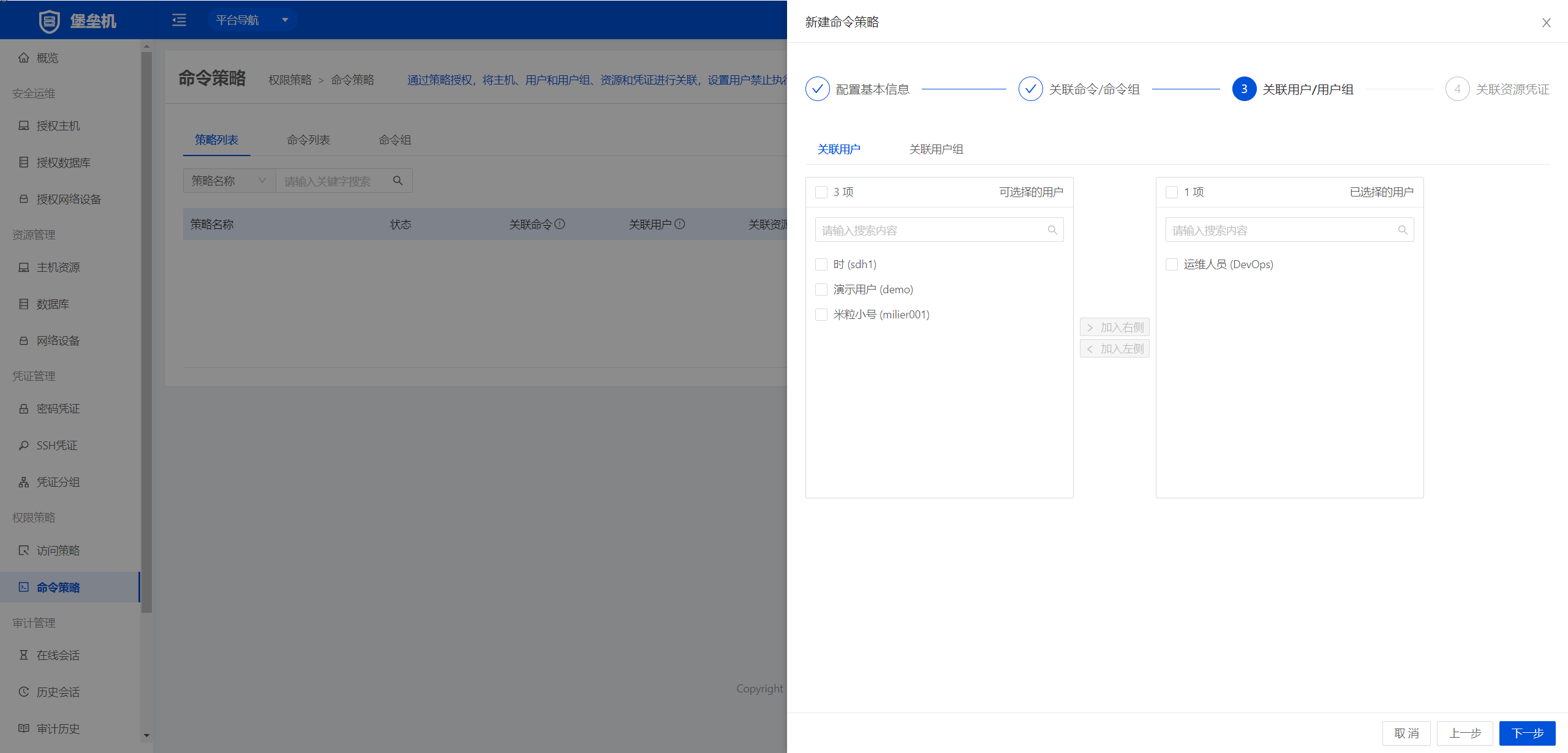
Configure the associated users
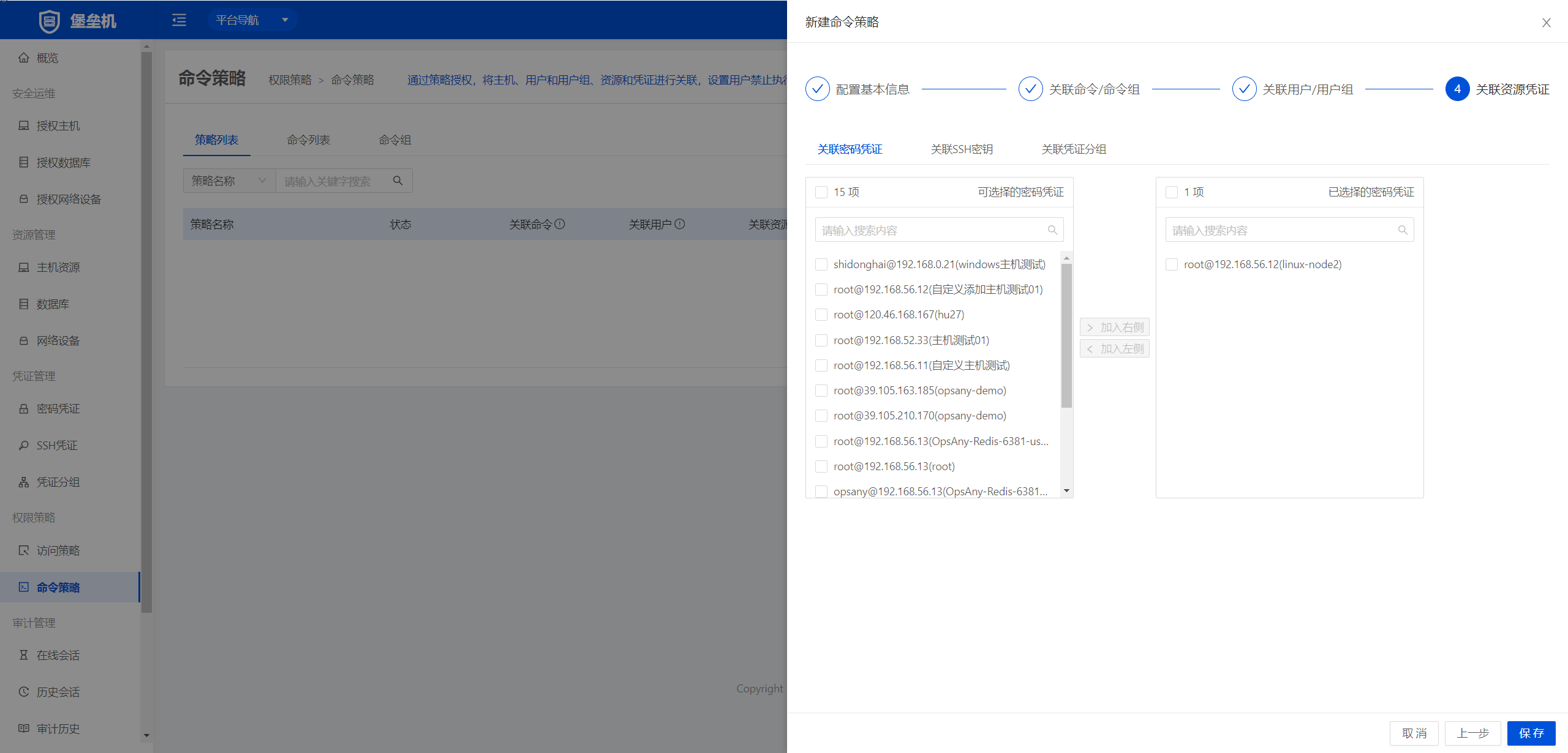
Configure the associated resource credentials
Test the command

5. Create a MySQL database password credential.
Under Bastion Host → Credential Management → Password Credentials, add the user's MySQL database password credential.
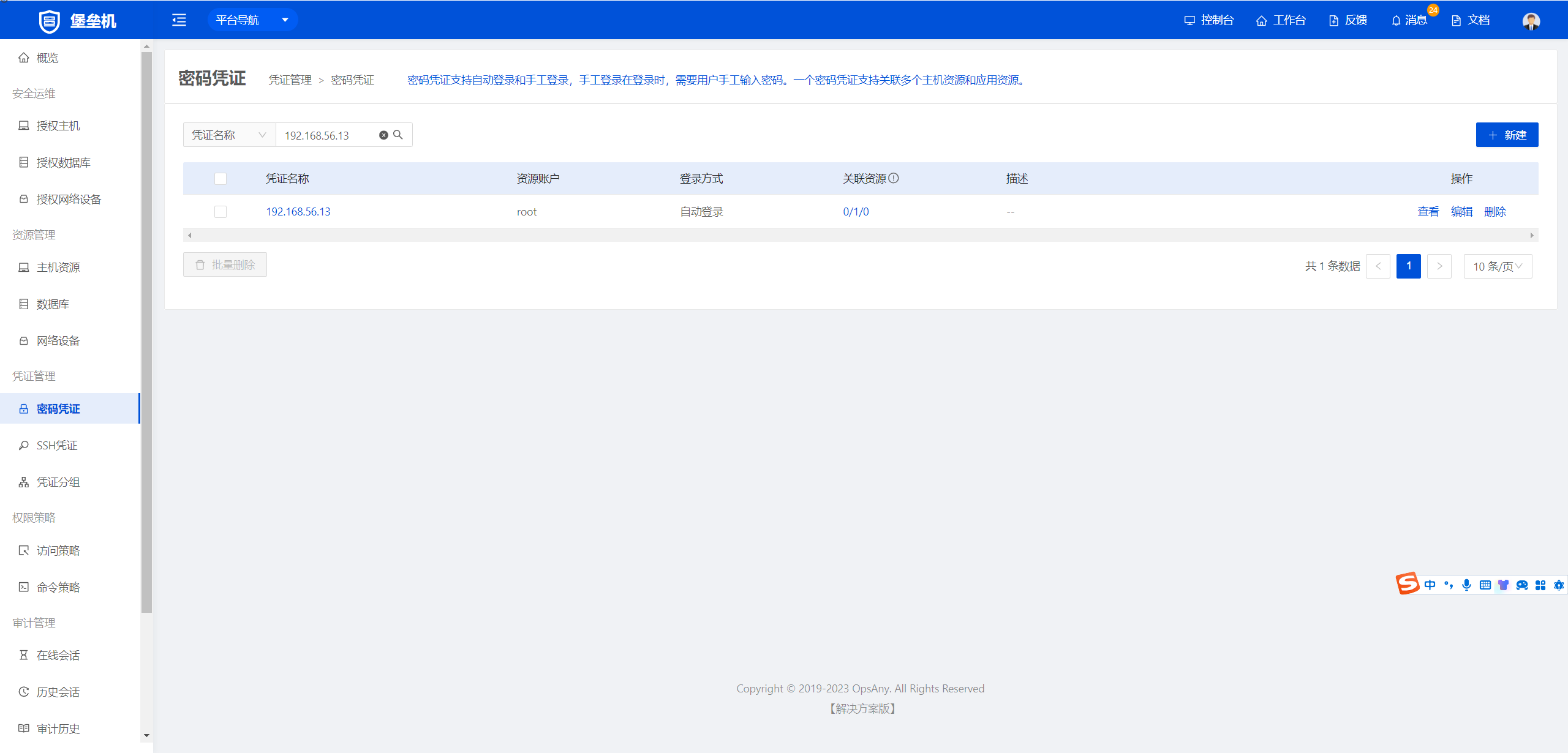
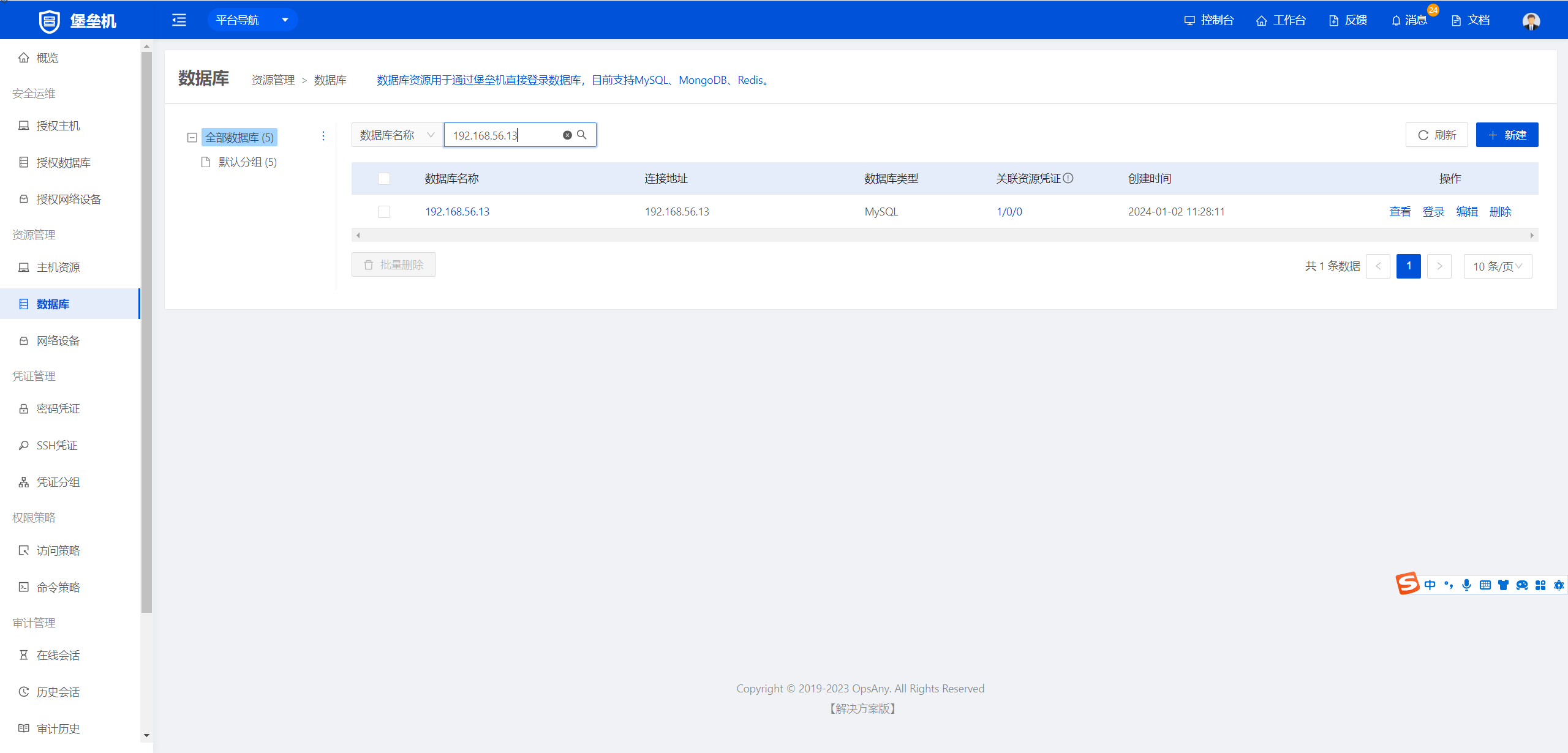
6. Add MySQL database resources.
Under Bastion Host → Resource Management → Databases, add the user's MySQL database resource.
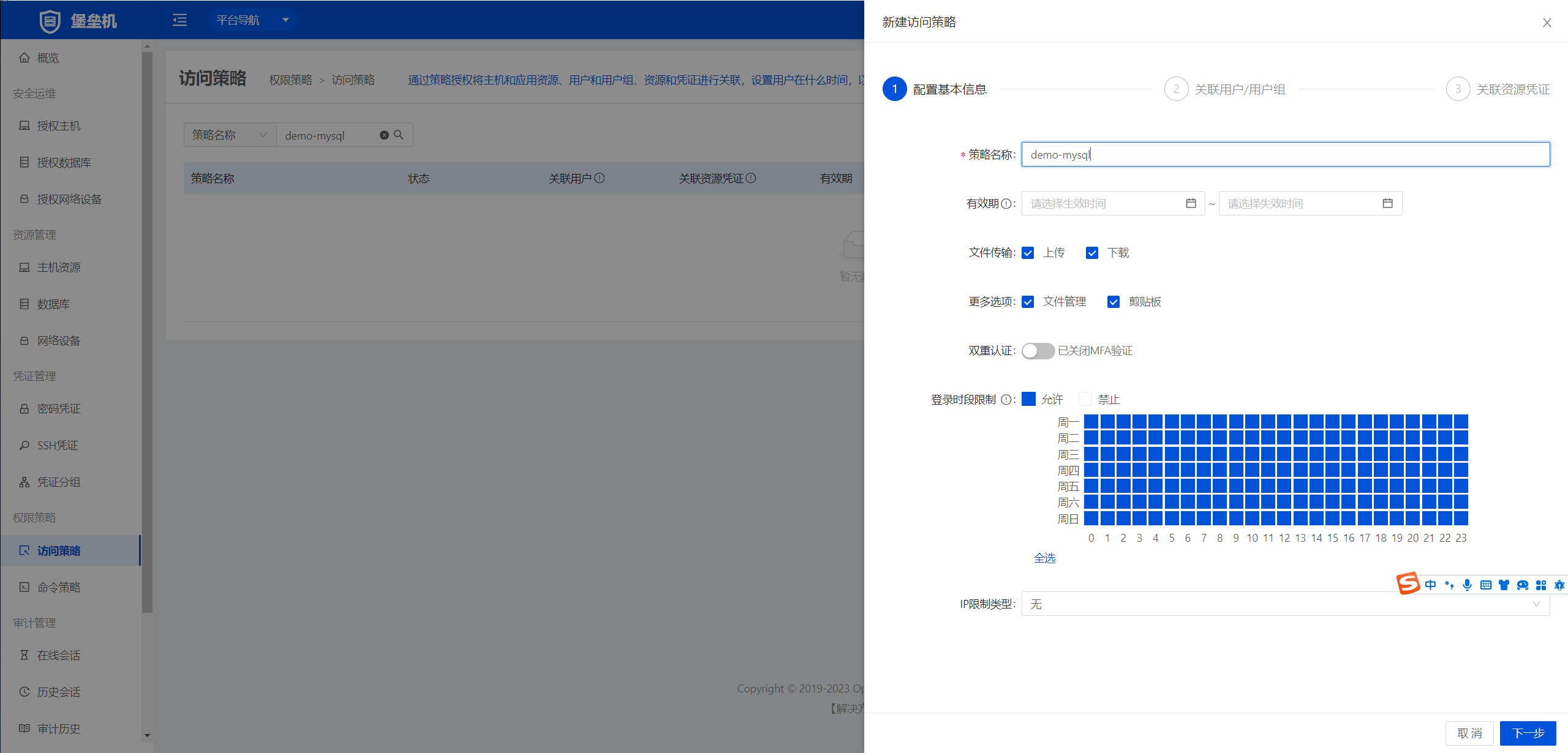
Scenario 2: Add a MySQL instance in the Bastion Host and authorize it to a user, so the user can sign in to MySQL through the Bastion Host.
1. Configure the access policy
Under Bastion Host → Permission Policies → Access Policies, add a new access policy.
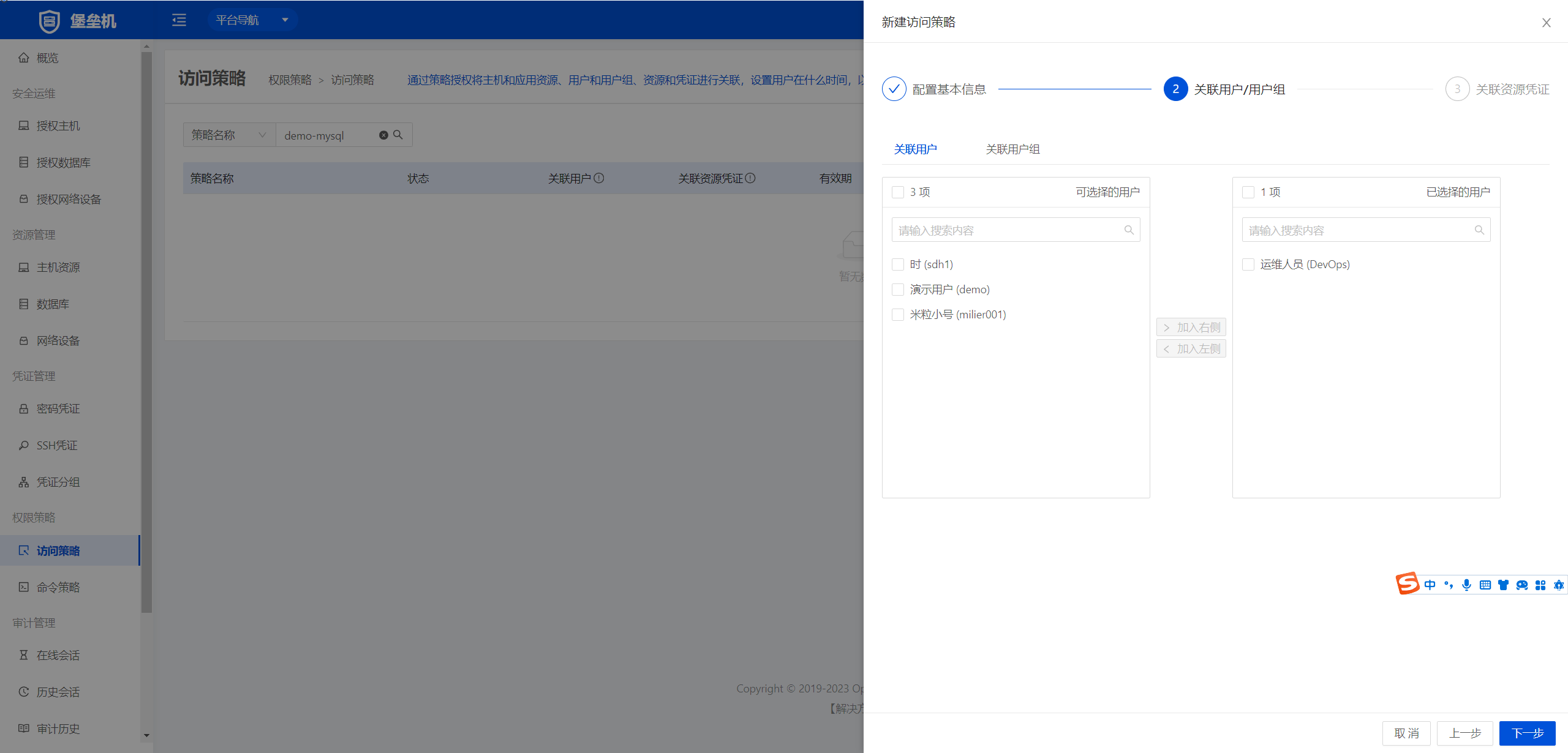
Configure the associated users
Configure the associated resource credentials
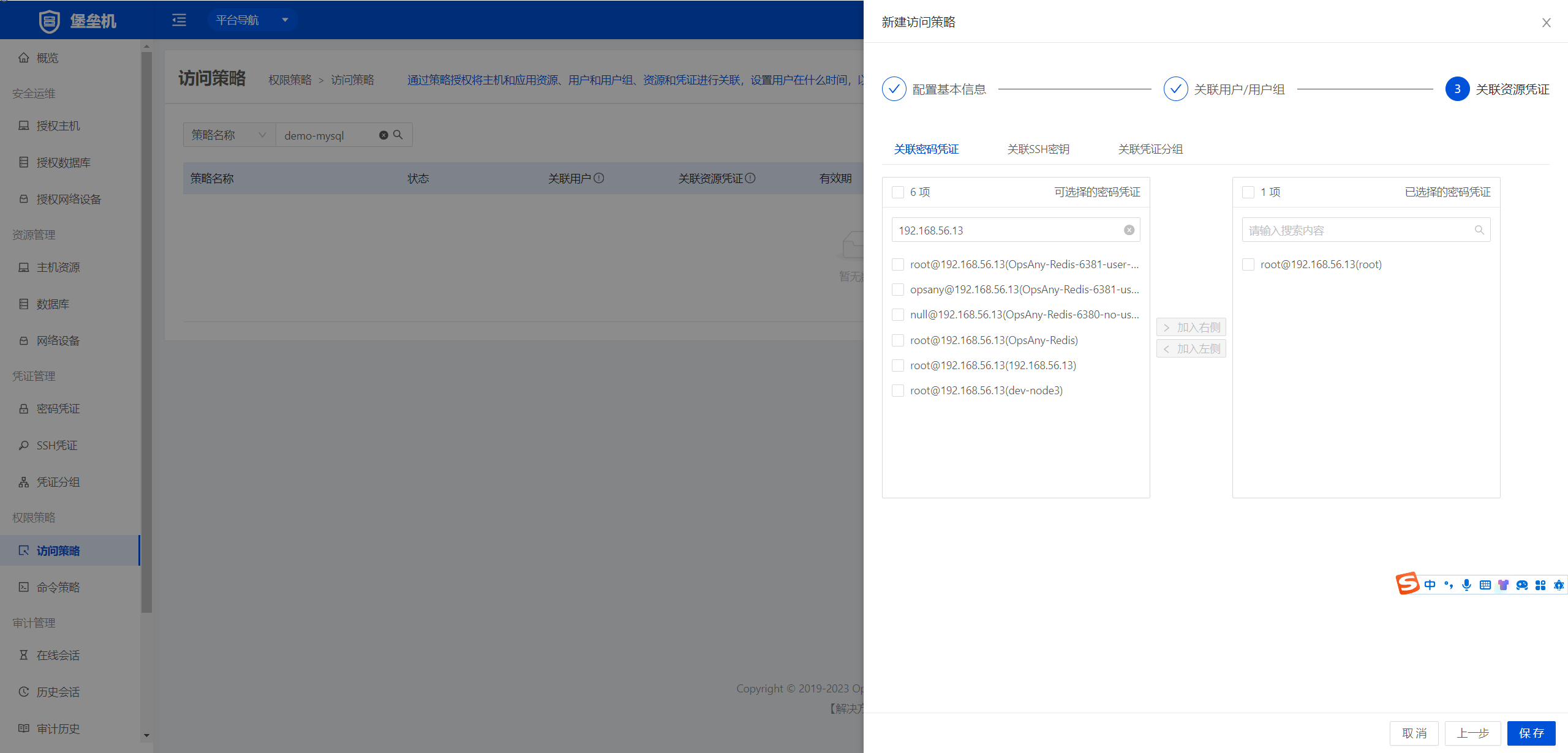
2. Verify the login policy
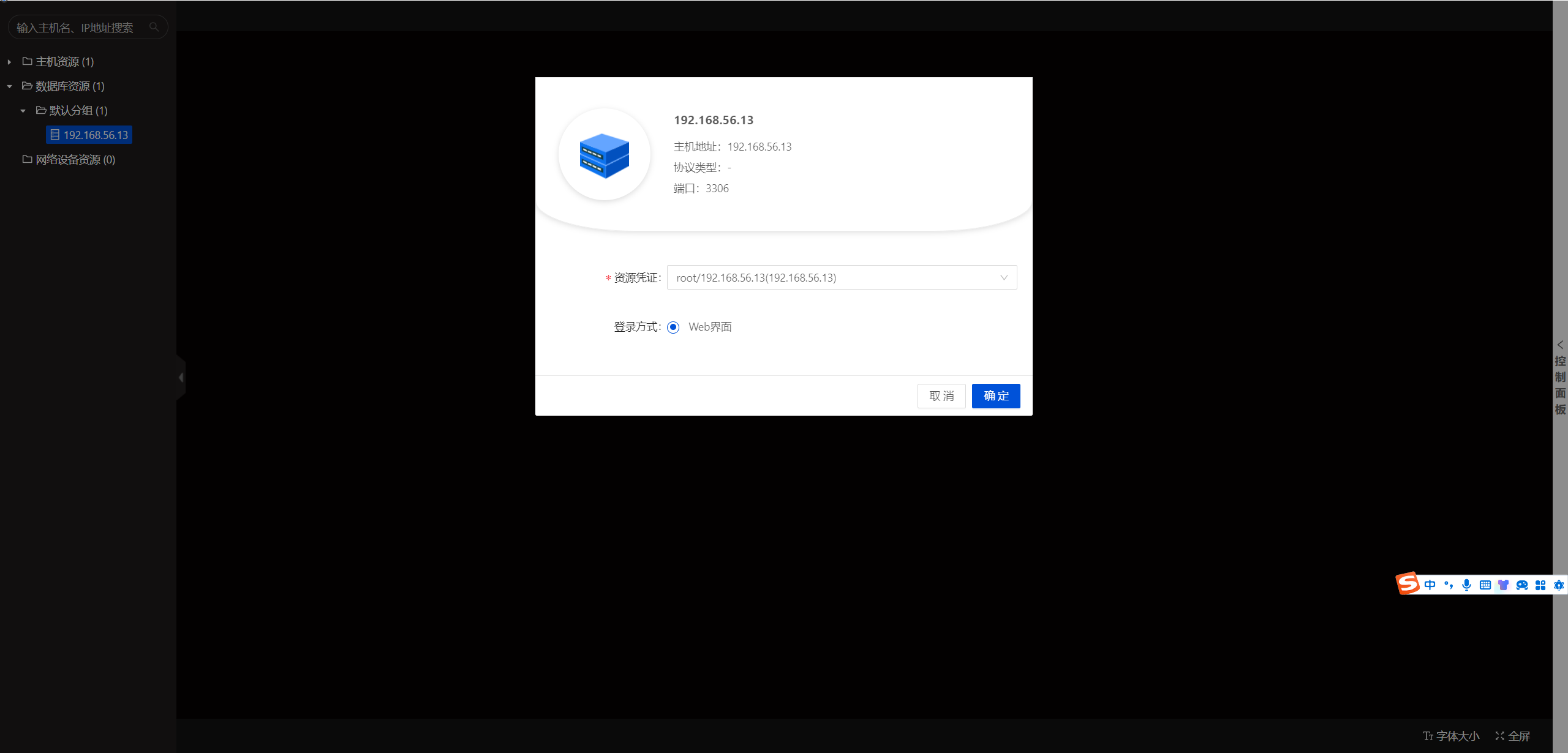
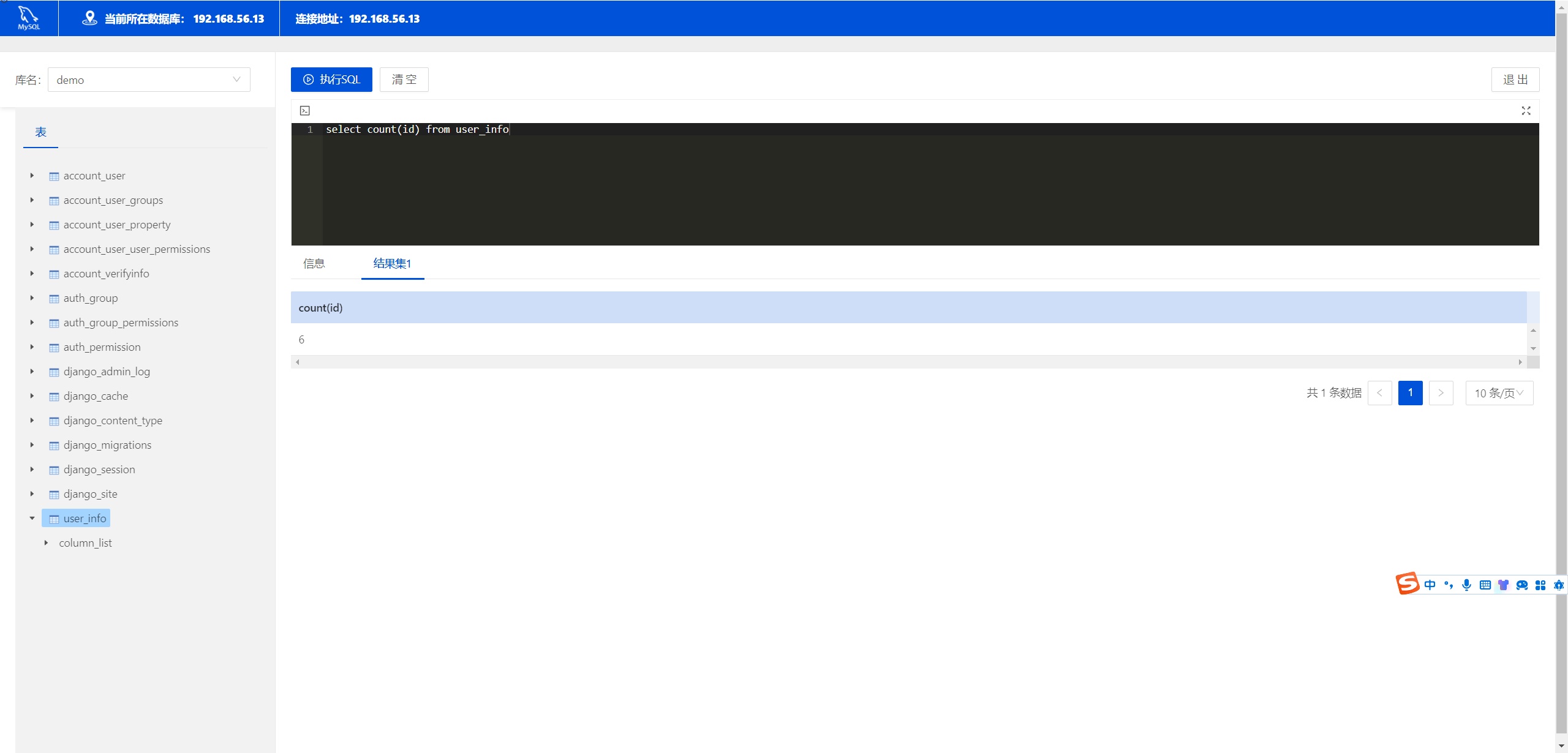
Test running SQL
Summary
Following this guide, you can use the OpsAny Bastion Host to control access by role across multiple environments. This helps protect company resources and supports security and compliance.