












Quick Start
OpsAny integrates quickly with the open-source operations tools an enterprise already runs in production — Ansible, Zabbix, Prometheus, Jenkins, and others — so you do not have to rip and replace or build the same thing twice. A multi-cloud CMDB (the Resource Platform) connects the entire end-to-end automated operations chain.
We want OpsAny to let operations staff manage Anything at Anytime, from Anywhere.
Platform overview
- Workbench: the operations workspace you land in after signing in, mainly for ticket management, messaging, and personal settings. It is where operations engineers handle daily tasks.
- Bastion Host: an operations bastion with 4A auditing — the entry point for manual operations and a must-have for security compliance programs.
- Resource Platform: the CMDB. It manages all IT resources across three categories — asset information, application information, and organizational information — and supports custom asset models and relationships.
- Control Platform: onboards hosts, network devices, and databases. Once a resource is onboarded you can run bulk commands, monitor it, and collect logs.
- Job Platform: the operations orchestration platform for day-to-day bulk script execution, file distribution, and configuration management. Operations tasks can be orchestrated into jobs and assigned to specific users.
- Basic Monitoring: host, component, and service-probe monitoring built on Zabbix, with flexible Grafana dashboards and alert notification handling.
- Cloud Management Platform: multi-cloud management covering Alibaba Cloud, Tencent Cloud, Huawei Cloud, Baidu Cloud, AWS, Kingsoft Cloud, and more, with unified host, network, and storage management plus cost reporting.
- Unified Permissions: OpsAny's centralized user, permission, and role management platform. Add users and configure permissions here.
- Developer Center: operations developers can build their own operations platforms here, and use the APIs other platforms expose — a path for operations engineers to become SREs.
Basic workflow
The main operations flow is: import resources, onboard resources, operate on or monitor resources, then IT service management.
-
Import resources (bring resources into OpsAny).
- 【Cloud Management Platform】onboards public cloud hosts.
- 【Resource Platform】builds the CMDB.
-
Onboard resources (onboard hosts, network devices, and databases over various protocols)
- 【Control Platform】onboards resources, managing and controlling hosts, network devices, and databases over various protocols.
-
Operate on and monitor resources (automation and monitoring)
- 【Bastion Host】provides secure, audited operations on hosts, MySQL, Redis, and network devices.
- 【Job Platform】runs bulk scripts, distributes files, and executes jobs.
- 【Basic Monitoring】shows host monitoring data and sends alerts.
- 【Application Platform】handles day-to-day application management, pipeline orchestration, and deployment.
-
IT service management
- 【Workbench】designs and manages tickets.
Usage tip: every OpsAny platform follows a minimalist design. The 【New】 button is normally in the top-right corner of the page, the 【navigation menu】 lives in the menu bar dropdown, and clicking the 【user avatar】 in the top-right opens personal settings and Unified Permissions (visible to administrators).
Importing resources into OpsAny
On first use you need to bring host resources into the Resource Platform (CMDB). The method depends on your scenario and host type. For public clouds, import in the 【Cloud Management Platform】 and the data syncs to the Resource Platform automatically. For local physical machines or virtual machines, import directly in the Resource Platform CMDB, or let the 【Control Platform】 import them automatically when installing the Agent.
- After importing hosts in the 【Cloud Management Platform】, data syncs automatically into the Resource Platform CMDB.
- After onboarding hosts in the 【Control Platform】, data syncs automatically into the Resource Platform CMDB.
- After entering hosts in the 【Resource Platform】, add them manually in the 【Control Platform】 — you can choose to add them from the 【Resource Platform】.
Design principle: CMDB is the center. Every platform can sync data into the CMDB, forming a data federation, and the data in CMDB can be consumed by different platforms.
Automatic public cloud import
Tip: once the Cloud Management Platform finishes importing from a public cloud, the corresponding assets are imported into the CMDB as well.
From the Workbench, follow the link in the platform navigation to the 【Cloud Management Platform】.
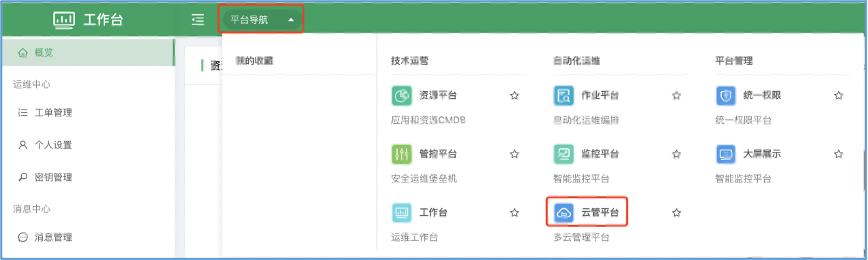
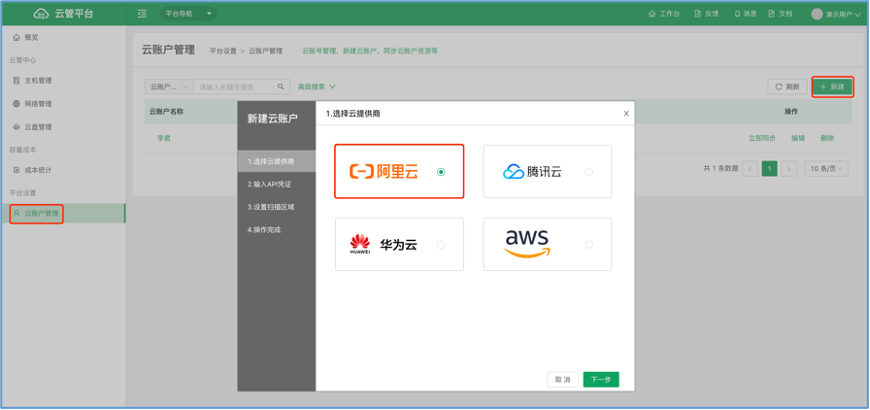
Under 【Cloud Management Platform】 → 【Platform Settings】 → 【Cloud Account Management】, click (New).
- Choose the cloud provider
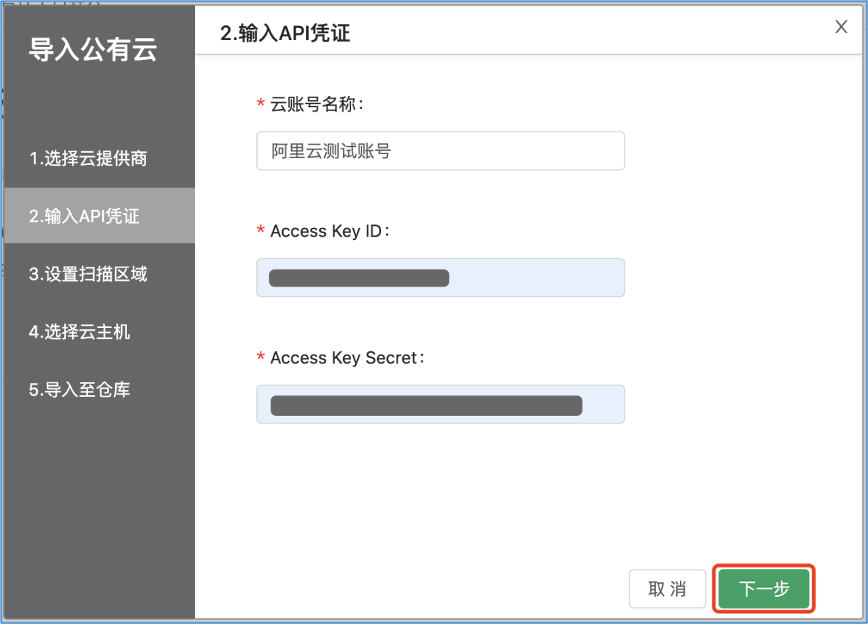
- Enter the API credentials
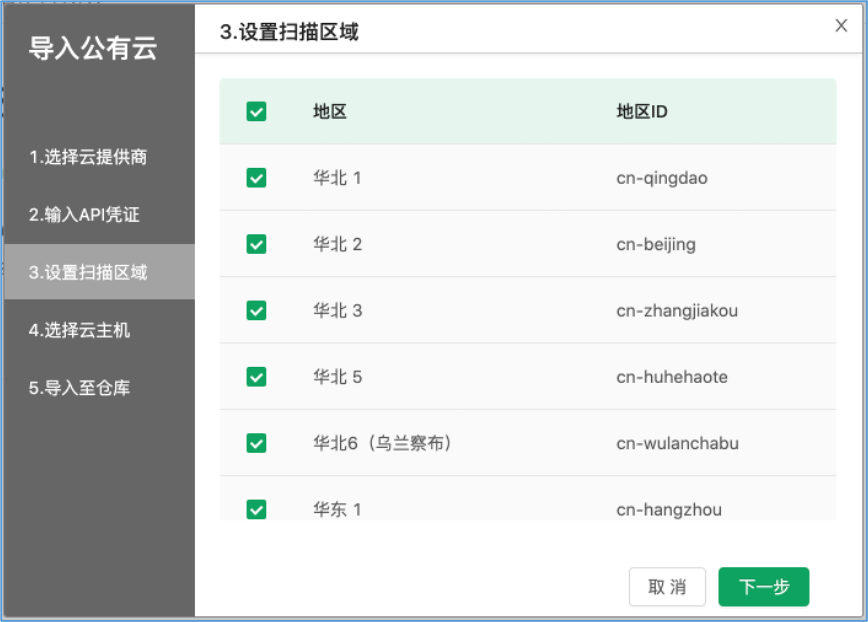
- Select the regions to scan. If you are unsure where the hosts are, select all — every region is scanned one by one to find them. With many regions the scan can take longer than 30 seconds.
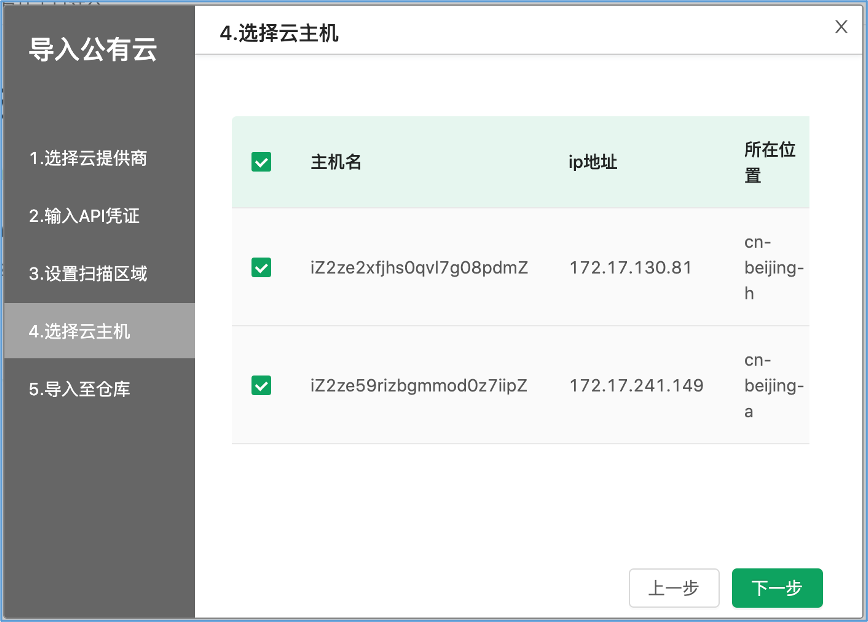
- Select the cloud hosts to import and start the import.
Adding hosts manually
Manual addition works the same for physical machines, virtual machines, and cloud hosts. The target host must be network-reachable from the host running OpsAny. The flow is below.
For Windows hosts we recommend the auto-discovery flow.
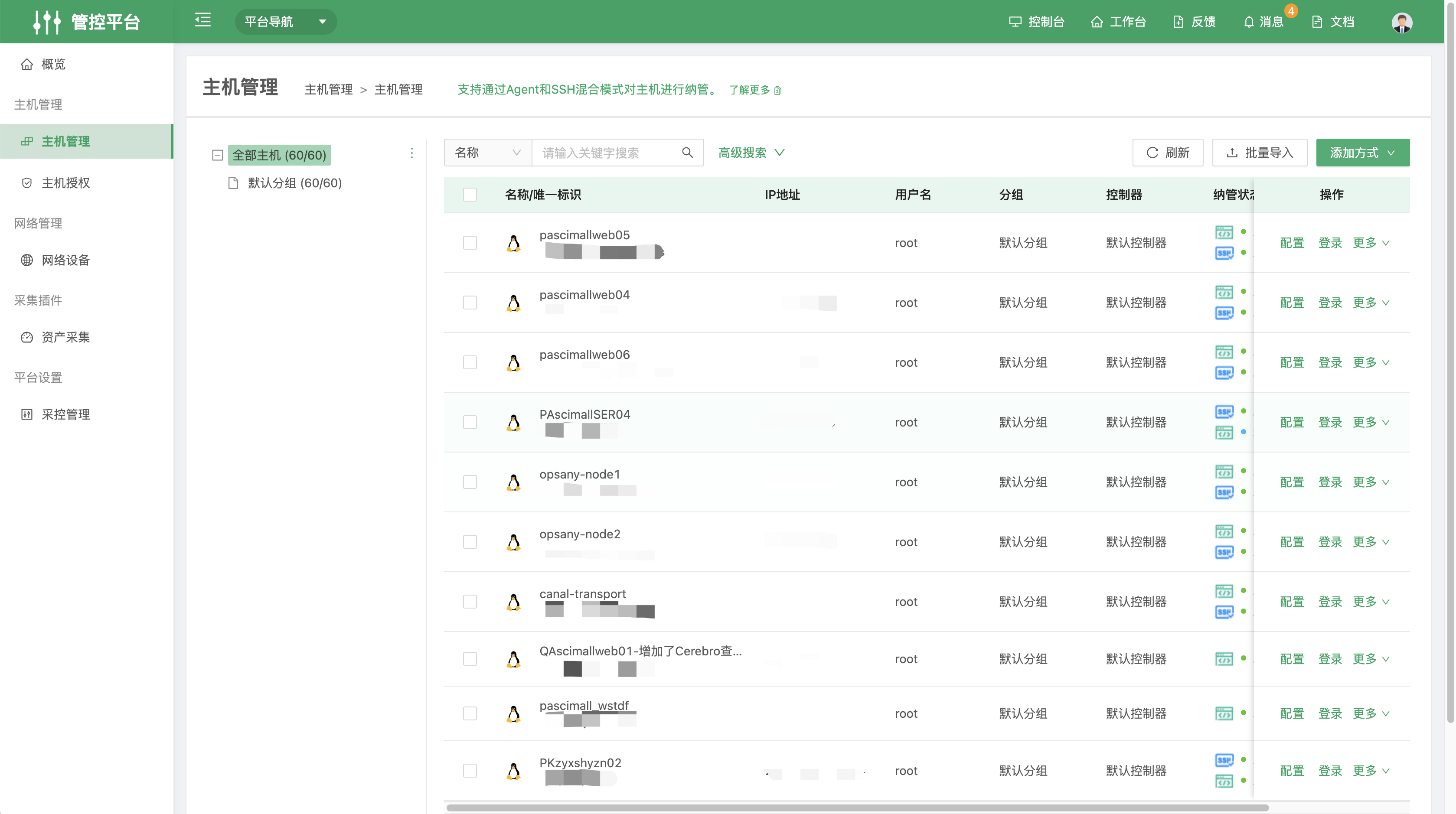
- Open the 【Control Platform】 from the navigation menu, and click (Add) in the top-right of 【Host Management】
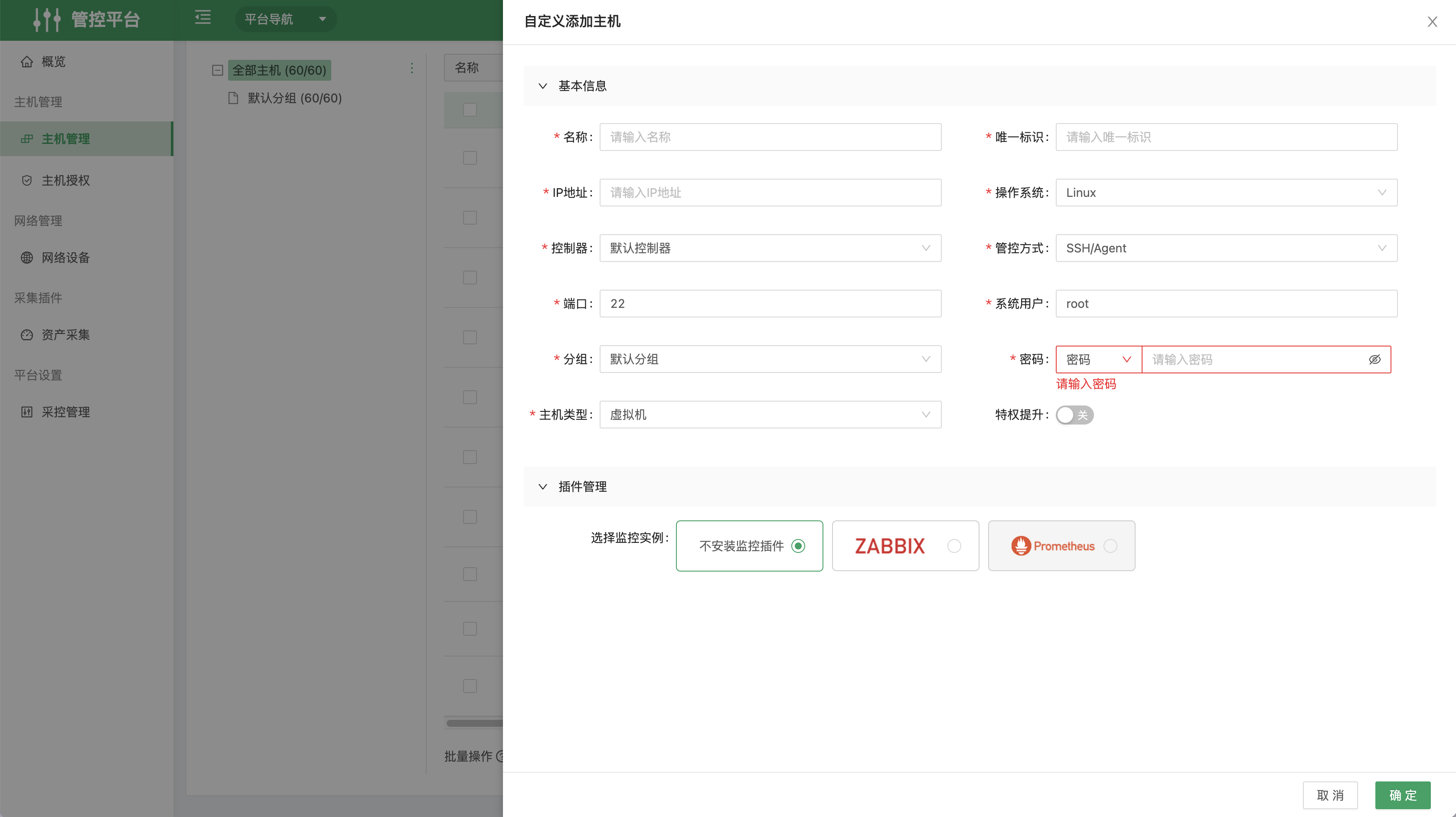
- Fill in the host details. Non-root users are supported, and monitoring components can be added — configure them according to your environment.
- Click automatic installation. The system downloads the agent package to the target host and starts the agent; once installed you can view its current status.
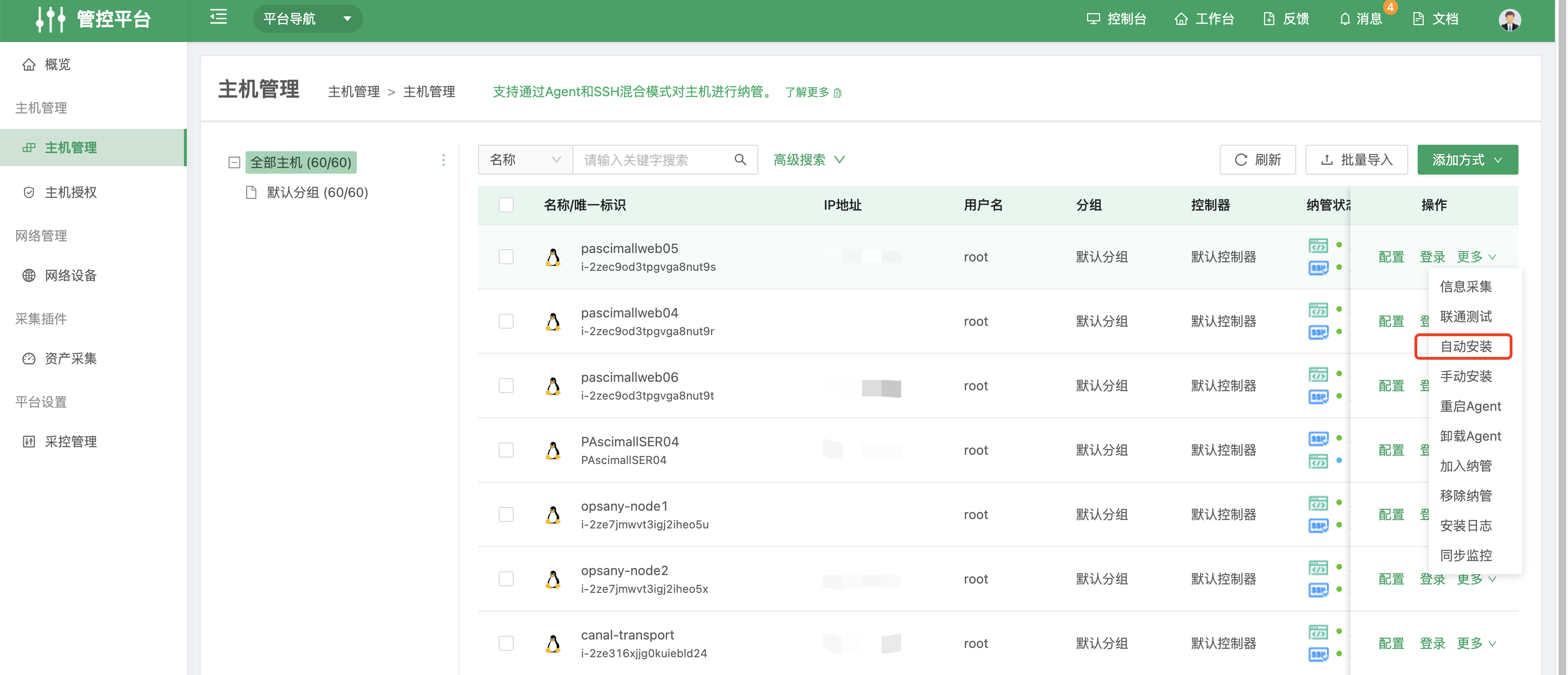
Note: automatic installation currently supports Linux hosts, including non-root users. For Windows hosts, install manually and use Administrator to deploy the Agent; for Windows we suggest downloading the package for the relevant system from the SaltStack website. Contact platform support if you run into problems.
Bulk Excel import
Under 【Control Platform】 → 【Bulk Import】 → 【Upload Template】 → 【Click to Import】.
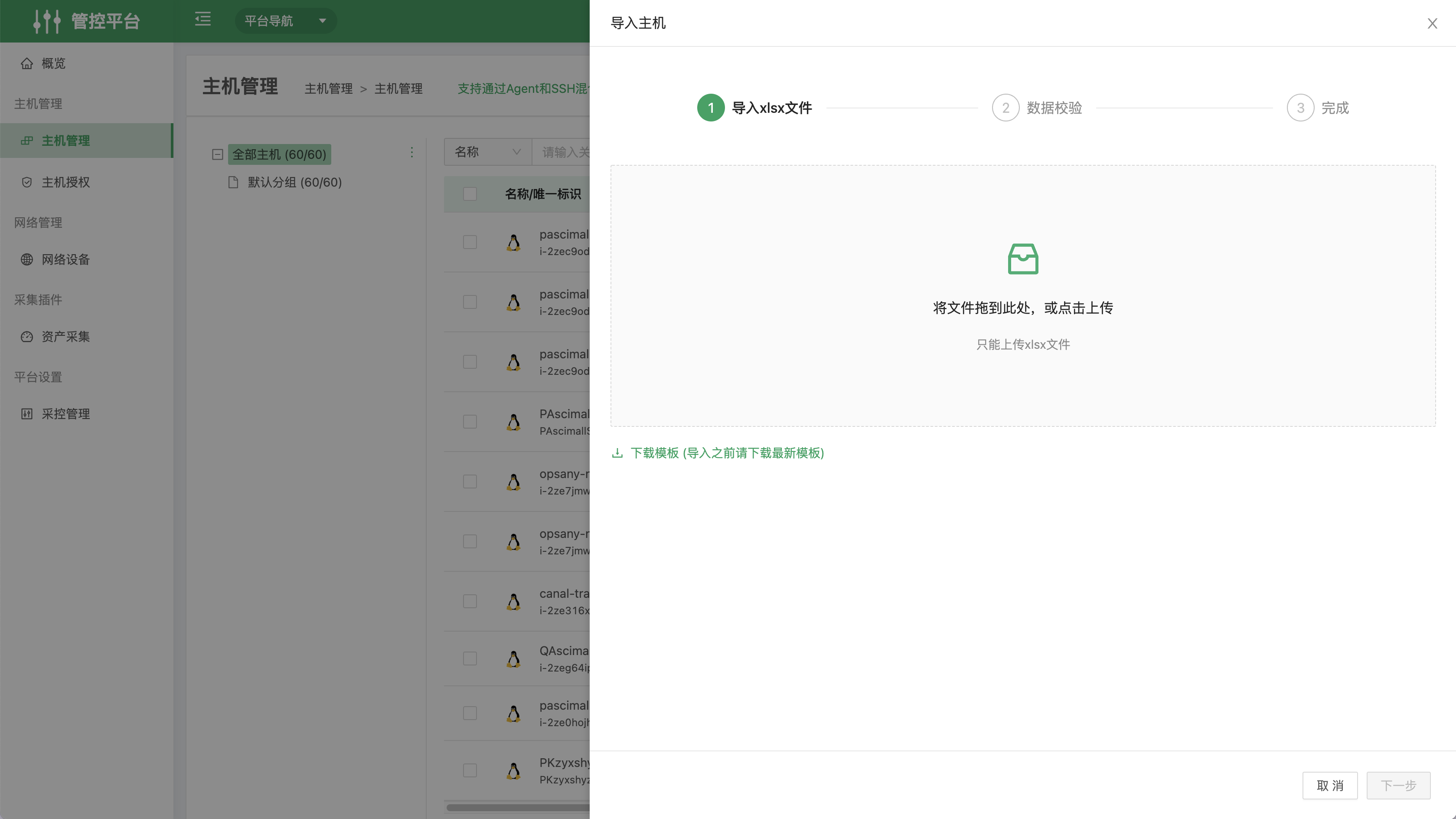
The system provides a fixed template; fill it in and complete the import.
Entering resources in the Resource Platform and onboarding them from the Control Platform
Under 【Resource Platform】 → 【Resource Warehouse】, select an operations object and click 【New】 in the top-right corner.
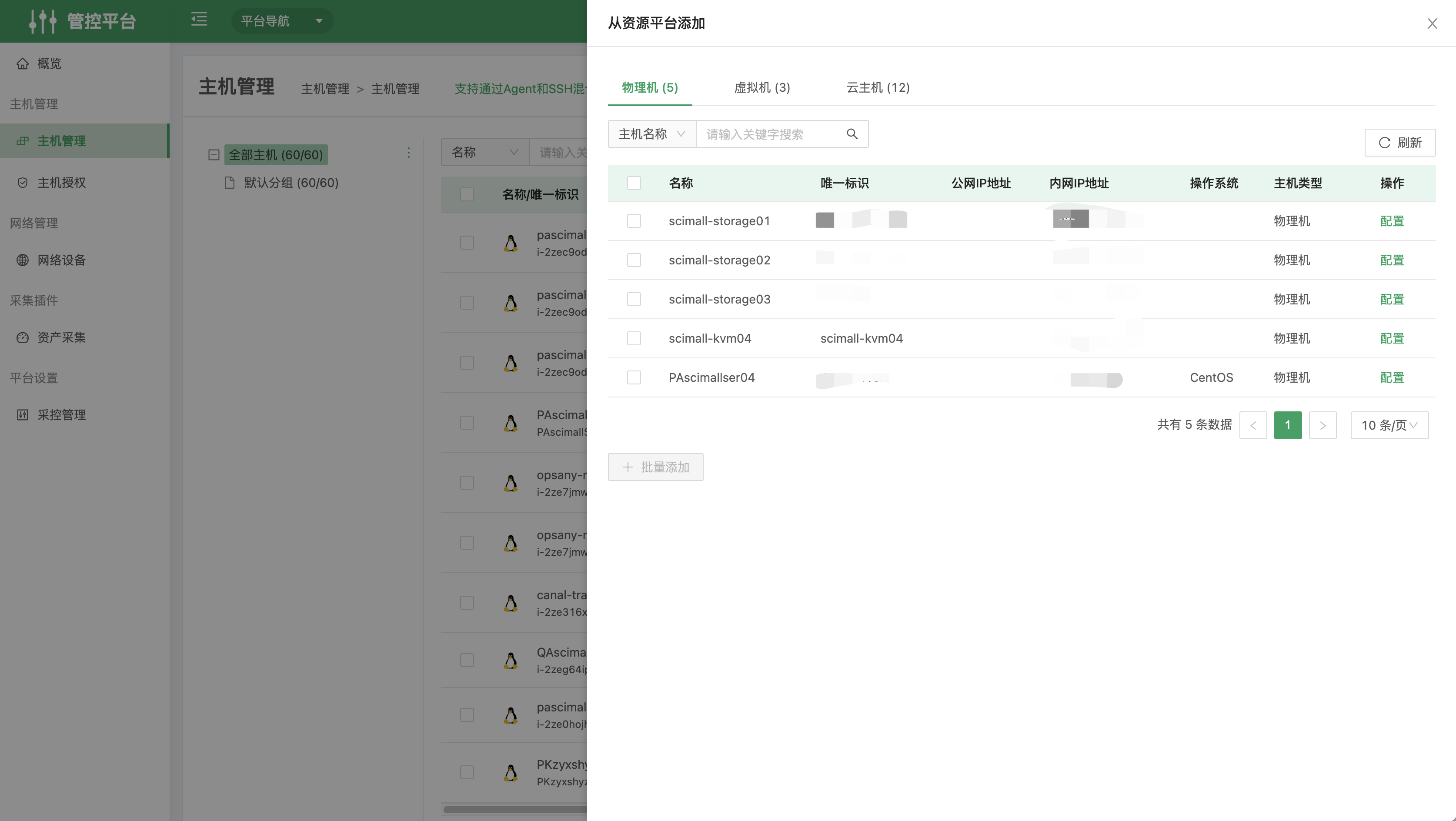
Onboarding resources
Hosts are onboarded over Agent/SSH. Once a host is onboarded, its information is collected automatically into the 【Resource Platform】. Open the Resource Platform from the navigation menu; if the machine's basic system information is missing, use Information Collection in the More menu to collect and sync it.
Viewing host details
- Under 【Resource Platform】 → 【Warehouse Management】 you can see all assets. Click (Cloud Hosts) to open the cloud host resource page.
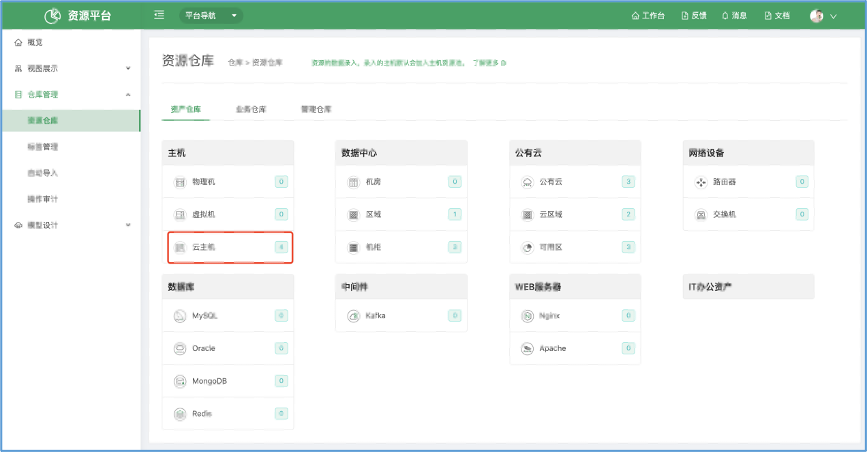
- The demo environment has four cloud hosts, and the list can be exported to Excel.
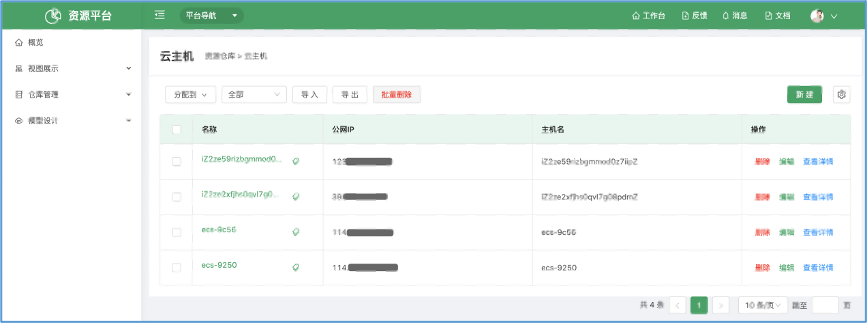
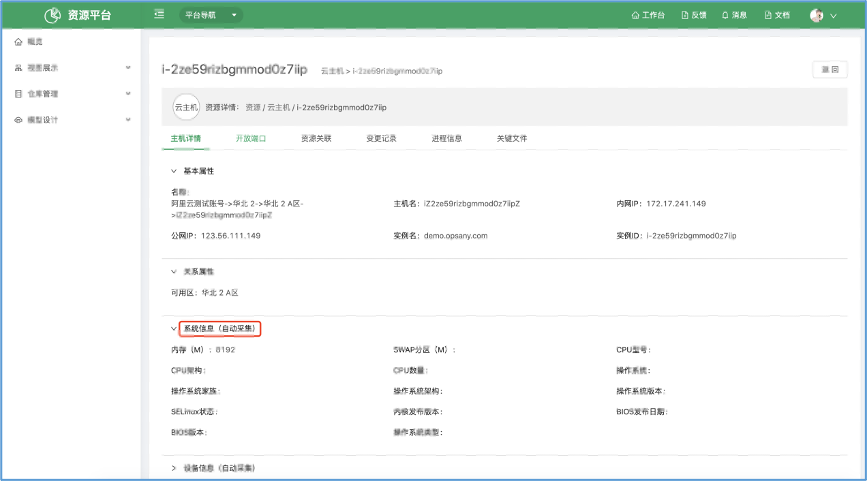
- Click 【View Details】 in the right-hand actions, or click the host name, to open the host detail page. In the example below the Agent is not installed, so the more detailed host information has not been collected automatically.
Secure operations with the Bastion Host
Web SSH remote control
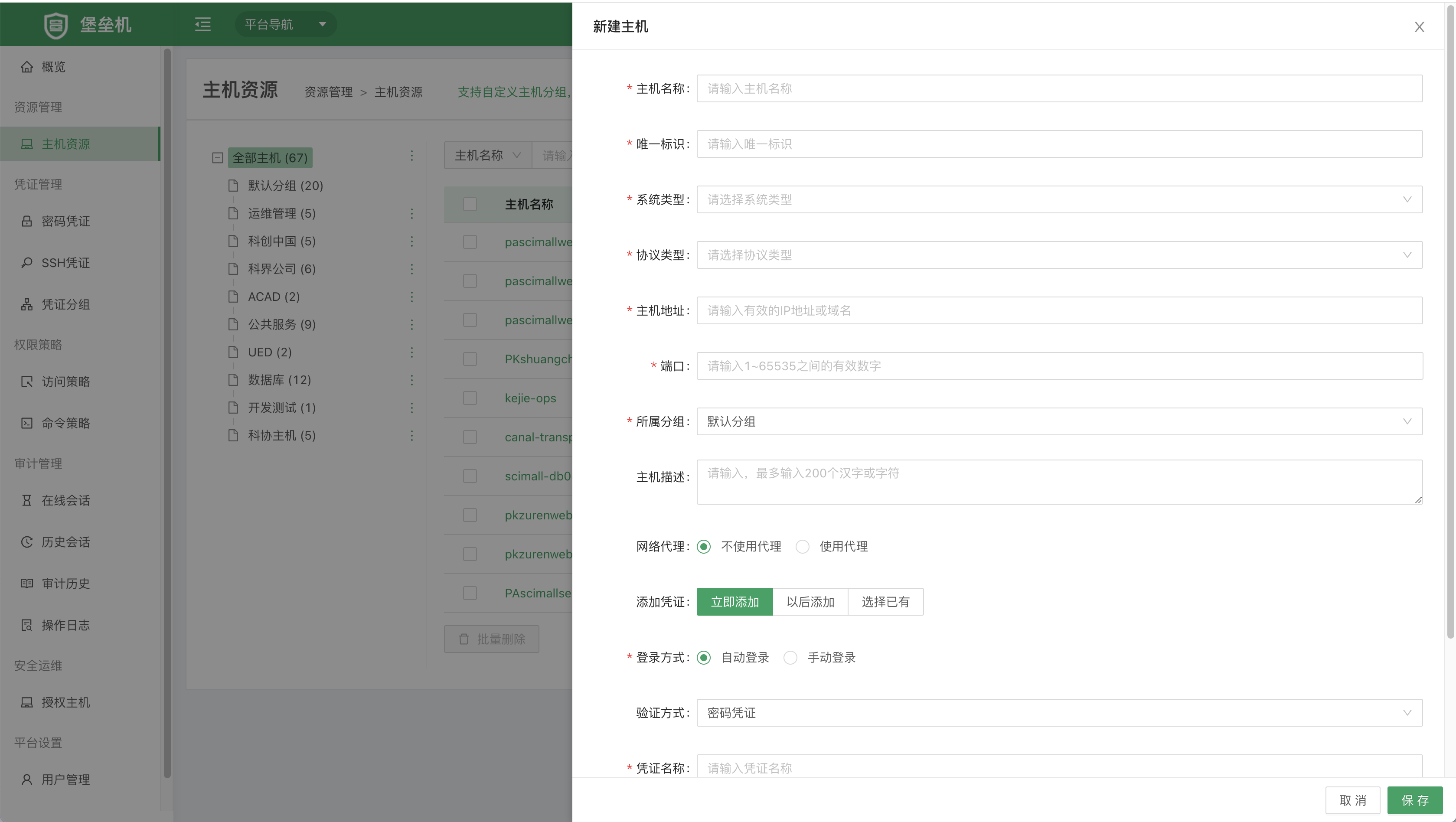
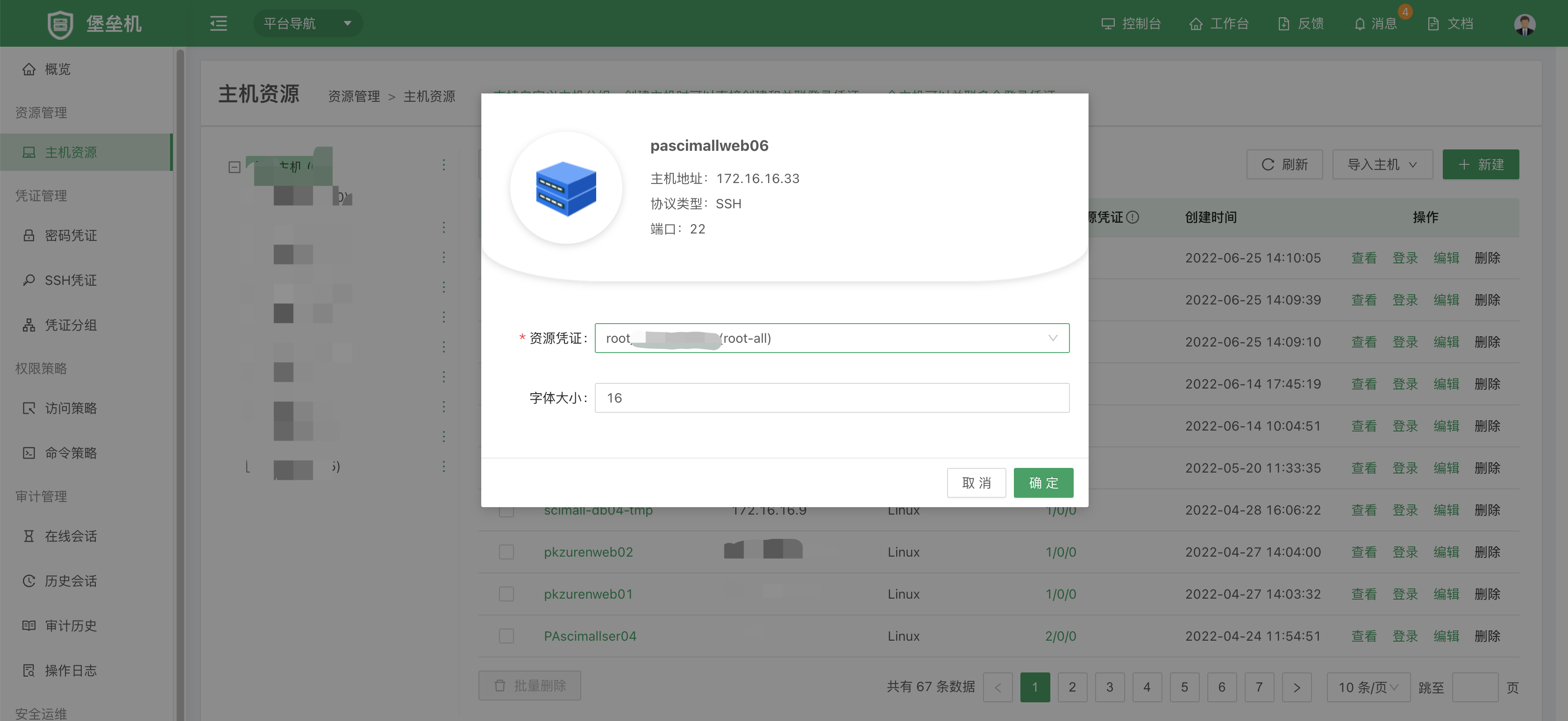
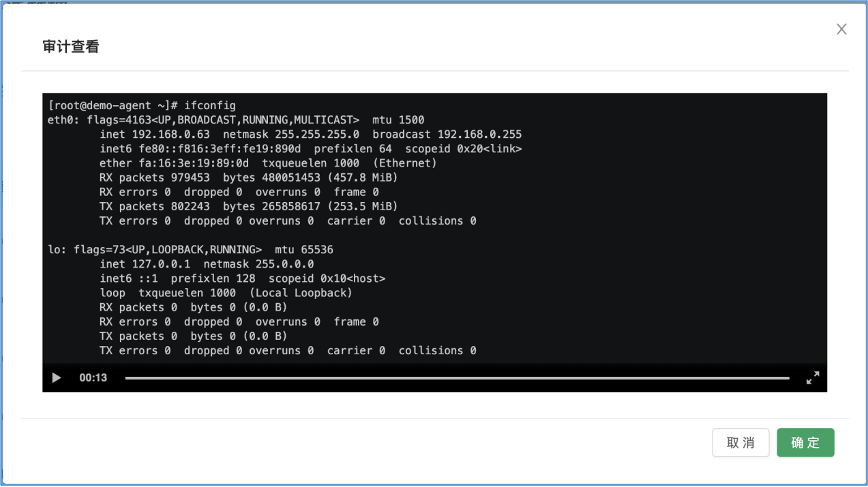
In the 【Bastion Host】, click Host Resources to add host resources. Once host information is added you can open the Web SSH remote console. WebSocket supports access policies and command policies, keeping operations controllable, secure, and maintainable. WebSocket also supports quick upload of small files, and lets auditors review the recording of each session. Note that the Host Resources page should not be granted to regular users — it is for administrators to manage resources; after authorization, regular users work from the "Authorized Hosts" page.
Adding host resources
Click to sign in
Signed in
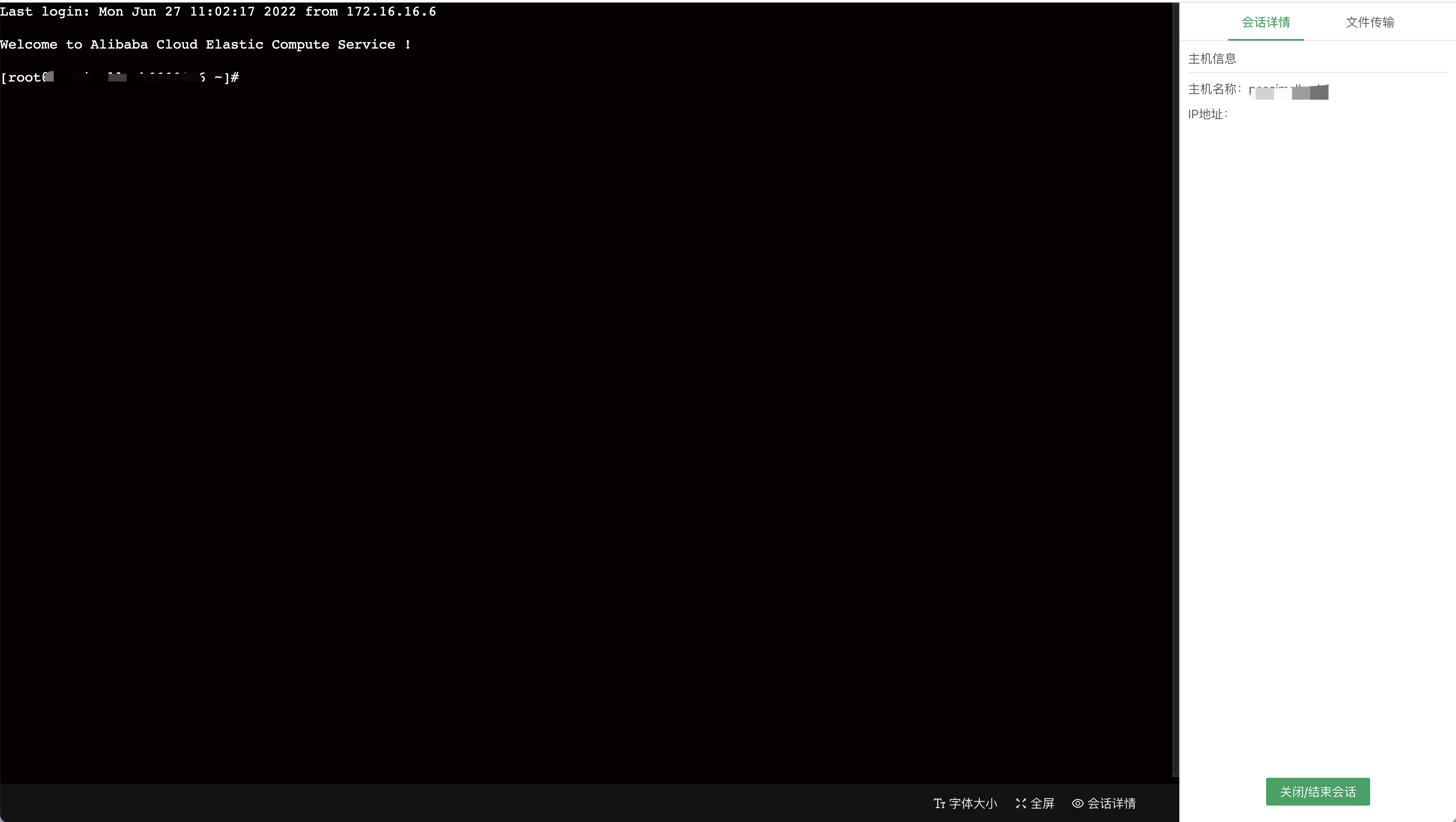
Files can be transferred from the right-hand panel
Reviewing audit recordings
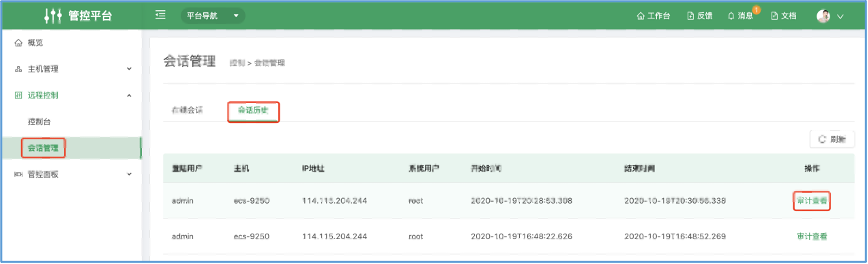
Under 【Session Management】 → 【Session History】, click Audit to view the recording.
The full execution history of the session is replayed automatically.
Running operations scripts in bulk
Day-to-day operations often require running scripts on many hosts quickly; the 【Job Platform】 handles this.
Quick script execution
Where: 【Job Platform】 → 【Script Execution】.
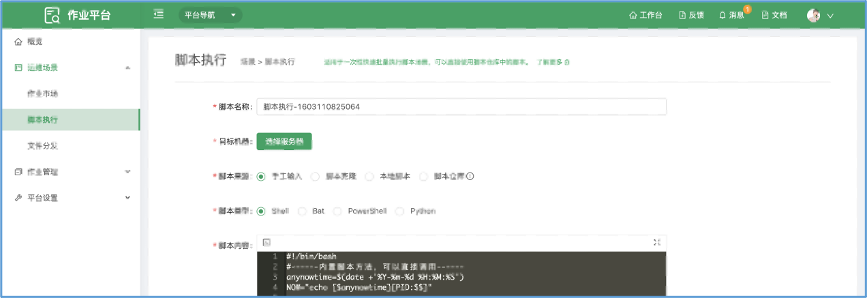
- Click 【Select Servers】 and choose the target hosts.
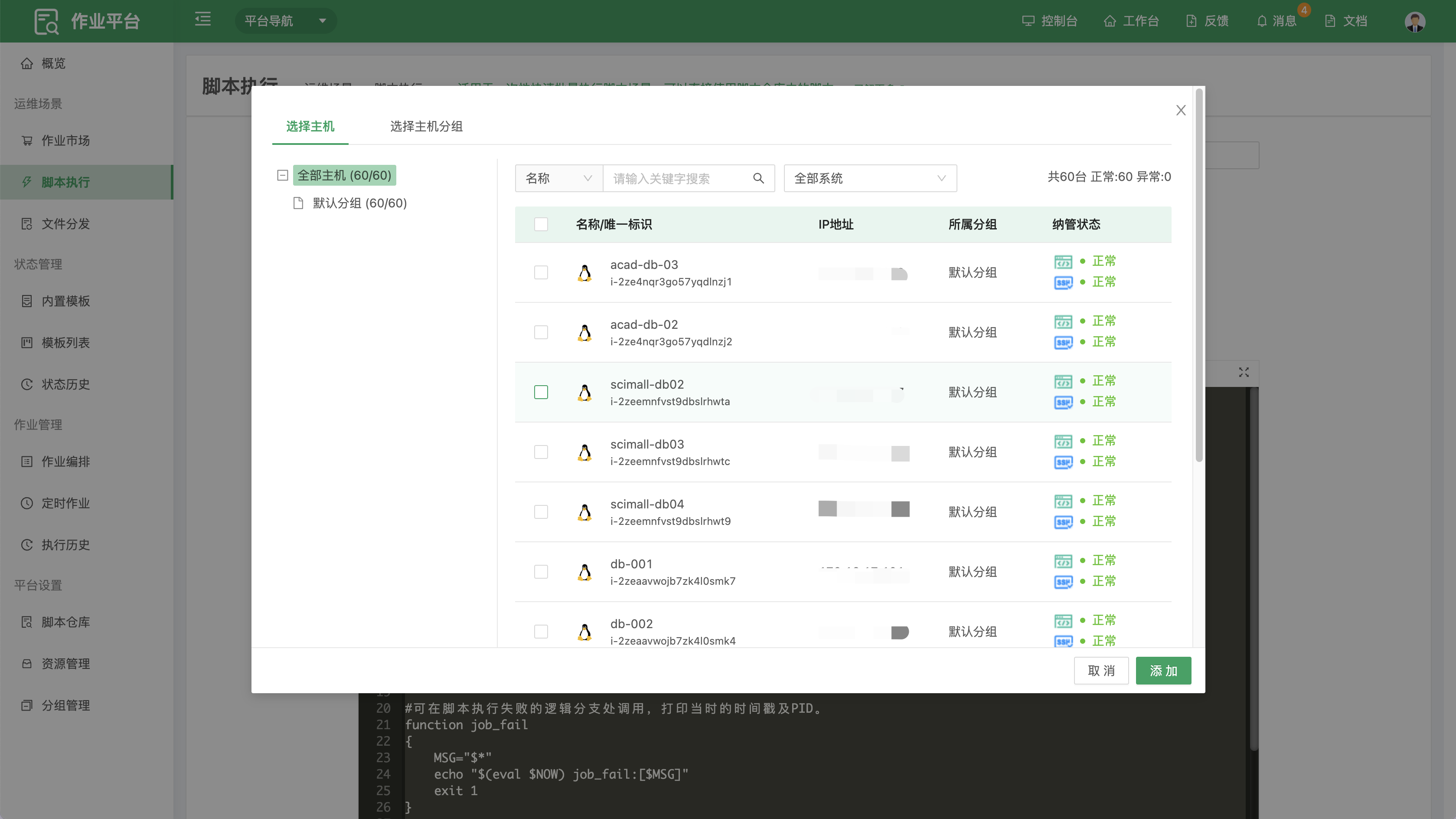
- Enter the script and its arguments, then click 【Execute】. When it finishes, click a node name on the left to view that node's log.
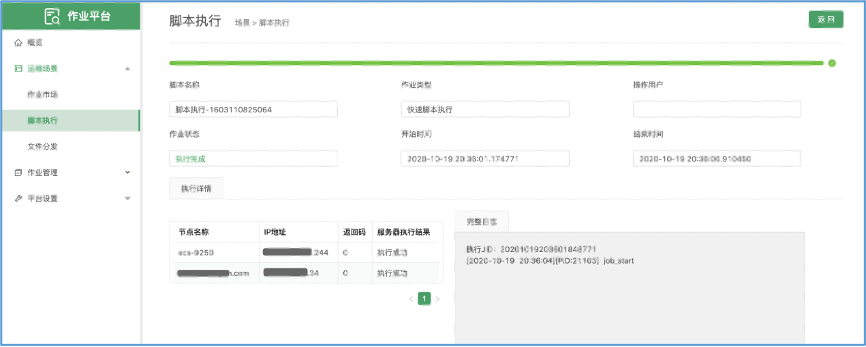
User and permission management
Adding users
- Sign in as admin, click the user avatar in the top-right corner, and open 【Unified Permissions】
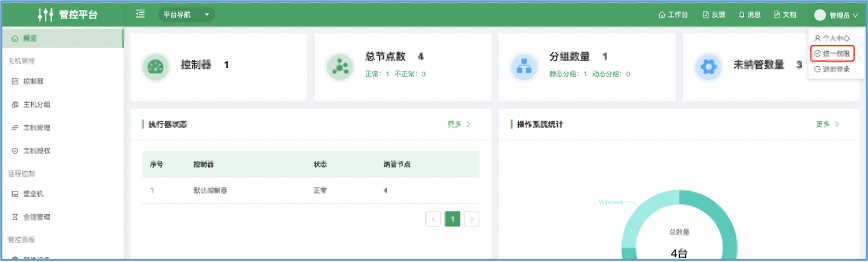
Create a user, and remember to assign the appropriate permissions — or define a custom permission policy under Permission Policies.
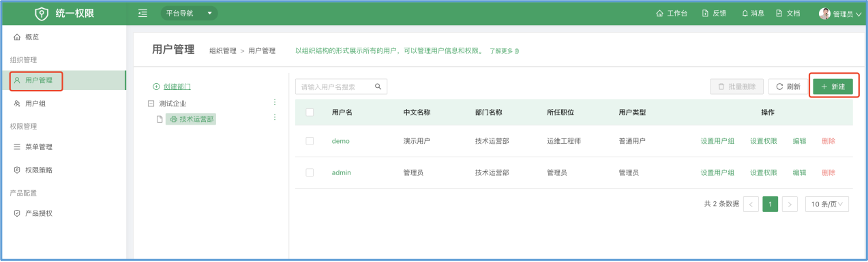
Note that OpsAny separates page permissions from data permissions; see the FAQ for details.