













Deployment Overview
OpsAny Community Edition ships with deployment scripts for quick installation. Following the official documentation strictly guarantees a 100% installation success rate.
Deployment Guides
- Online Deployment Guide
- Basic Monitoring Deployment
- DevOps Platform Deployment
- Offline Deployment Guide
OpsAny Community Edition Architecture
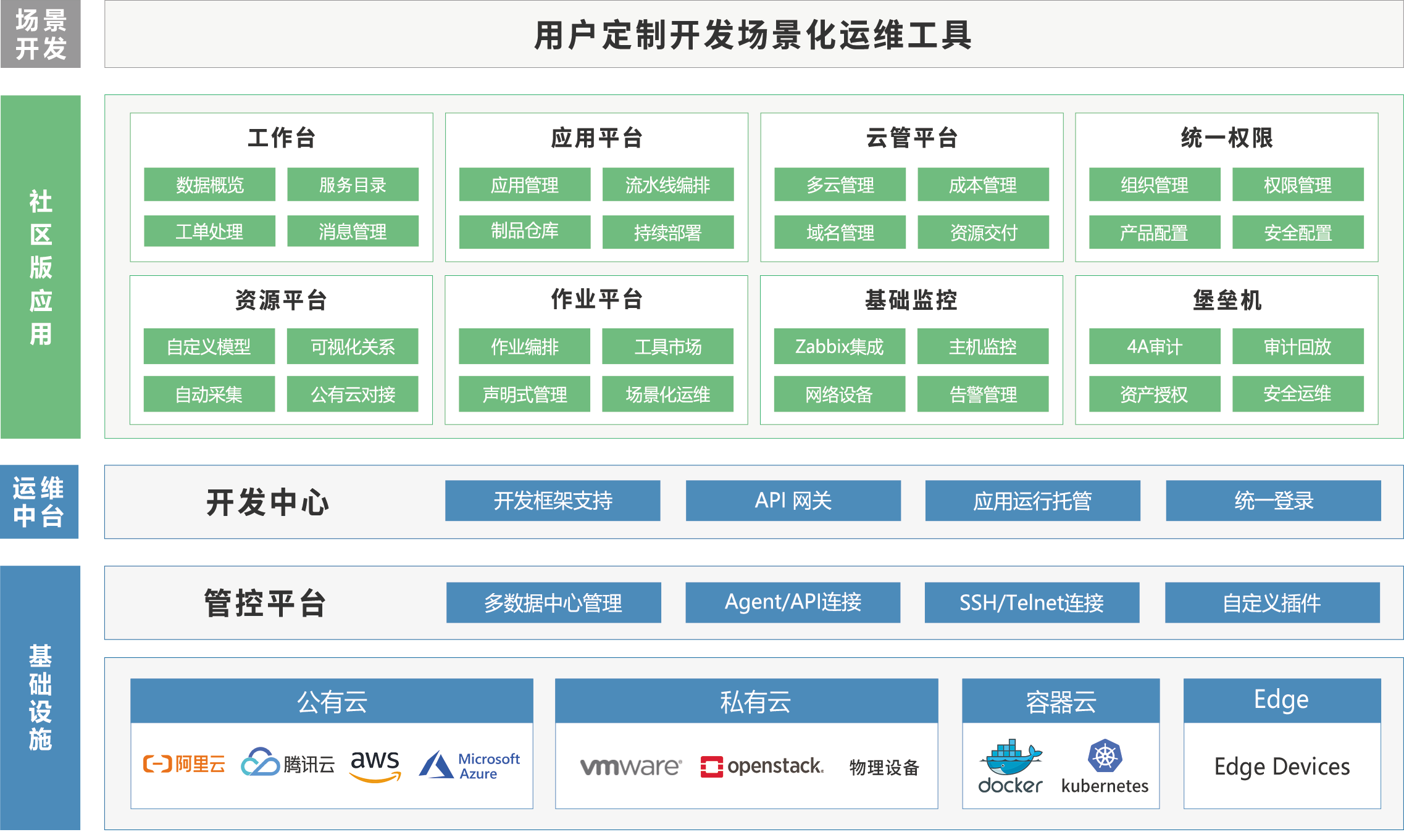
How the Deployment Script Works
Engineers are encouraged to read the deployment shell scripts to understand the details. OpsAny is deployed with Docker containers, so a deployment consists of the following steps:
-
- Generate a random Secret Key for each platform with the
uuidcommand and write it to/data/opsany/conf/.APPID_secret_key, so it can be read again during upgrades.
- Generate a random Secret Key for each platform with the
-
- Modify configuration files in bulk according to
install.config.
- Modify configuration files in bulk according to
-
- Register the SaaS applications with the PaaS platform. Registration uses the Secret Key generated in step 1; otherwise registration fails.
-
- Pull images, start containers, and mount the configuration, log, and uploads directories.
-
- Run database migrations.
A failure in any of these steps (for example, the uuid command not being installed) makes the deployment fail. For details, see the Architecture Guide.
How the Upgrade Script Works
The upgrade script is similar to the deployment script, but skips a few steps. Upgrading essentially means removing the container and starting a new one from the new image version.
-
- Read the Secret Key from
/data/opsany/conf/.APPID_secret_key, and the platformadminpassword from/data/opsany/conf/.passwd_env.
- Read the Secret Key from
-
- Pull the new image version, start the container, and mount the configuration, log, and uploads directories.
-
- Run database migrations.
-
- Run the script that updates the SaaS application version on the PaaS platform.
You can check the current version under Developer Center → Built-in Applications; the version is updated automatically on every upgrade.
Tip
Before you start, a serious reminder: according to statistics from 2020 to 2024, following the official documentation strictly yields a 100% success rate. If an installation fails, uninstall it, read the documentation carefully, and try again — be patient. Of course, you can also simply walk away; life is short, and being happy matters most.